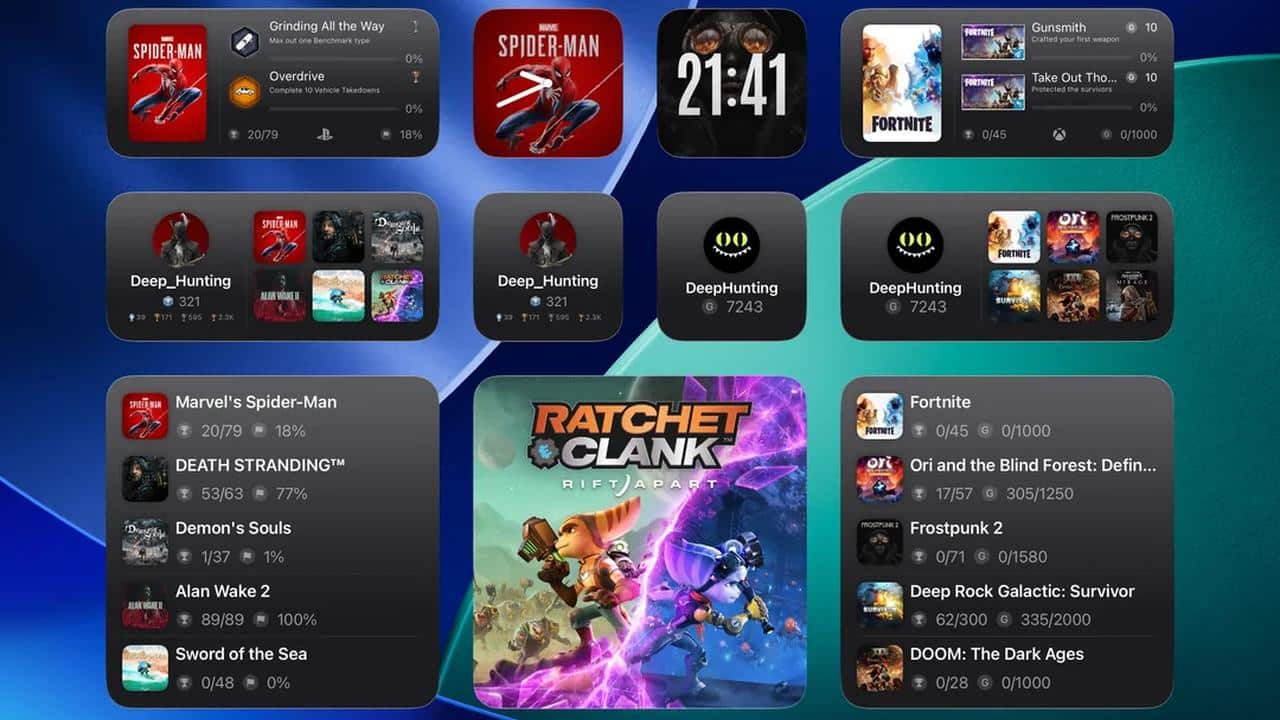
Portal: Remote Play has finally arrived on iPadOS after its launch on Vision Pro and a short stint in beta. This version isn’t a simple port; it’s a dedicated release built specifically for the high-resolution displays on Apple’s tablets.
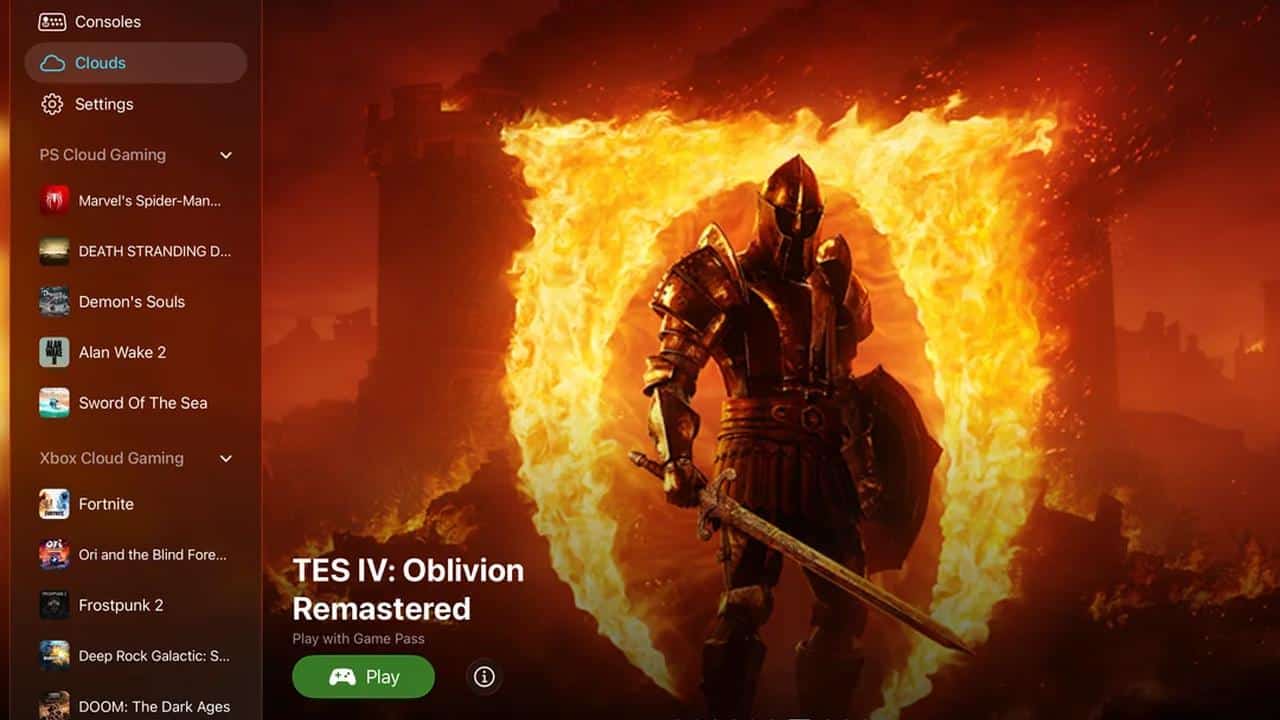
If you missed our previous coverage, Portal’s an all-in-one streaming hub. It combines PlayStation and Xbox remote play with cloud gaming services such as GeForce NOW and Xbox Cloud Gaming into a single interface.

Native iPadOS Experience for the Big Screen
One of the biggest frustrations with third-party streaming apps is often the UI; they frequently look like “blown-up” phone apps. Developer OverSoul Ltd addressed this by building the iPadOS version around Apple’s Human Interface Guidelines.
This ensures the UI scales intelligently for high-resolution displays. More importantly, it supports iPadOS multitasking. Whether you want to open a full-screen window or keep a walkthrough open in Split View, Portal handles the transitions without dropping the stream or breaking the aspect ratio.
Swiss Army Knife for Streaming
What makes Portal unique in a crowded market of official apps is its versatility. Instead of jumping between different apps to access your library, Portal acts as a unified dashboard for several activities:
- Console Remote Play: PlayStation 4, PlayStation 5, and Xbox Series X|S.
- Cloud Gaming: Access to Xbox Cloud Gaming, GeForce NOW, and Amazon Luna.
- HDMI Input: By using a USB-C capture card, you can use your iPad as a portable monitor for PCs, Nintendo Switch, or other consoles.
The addition of USB-C capture card support is a significant benefit for iPad Pro and iPad Air users. It effectively turns the tablet into a high-end portable display with 4K upscaling and 120fps support, provided your hardware supports it.
Optimized Performance and App Store Availability
This version carries over the “Liquid Glass” appearance from the iPhone version but is tuned for longer, more demanding periods of play. The developer specifically optimized performance for the iPad’s hardware to ensure low latency during play. With iCloud sync active, all your console settings and cloud bookmarks move instantly between your Vision Pro, iPhone, and now your iPad.
Portal: Remote Play’s available now on the App Store for iPadOS. If you used the TestFlight beta previously, you can now transition to the stable public build to ensure you receive the bi-weekly updates the developer provides.
Portal: Remote Play Sets a New Standard for iPad Streaming
It’s clearly the ideal form factor for remote play, but official apps often seemed like an afterthought. By prioritizing native scaling and multitasking, Portal finally ensures the iPad acts as a primary gaming device rather than just a secondary screen. If you want a single hub for your entire library, whether it’s operating on a console under the TV or a server in the cloud, this is the most refined tool currently available in the Apple ecosystem.
Will you be moving your remote play time over to the iPad now that Portal’s native? Let us know in the comments!
As always, remember to follow us on our social media platforms (e.g., Threads, X (Twitter), Bluesky, YouTube, and Facebook) to stay up-to-date with the latest news. This website contains affiliate links. We may receive a commission when you click on these links and make a purchase, at no extra cost to you. We are an independent site, and the opinions expressed here are our own.