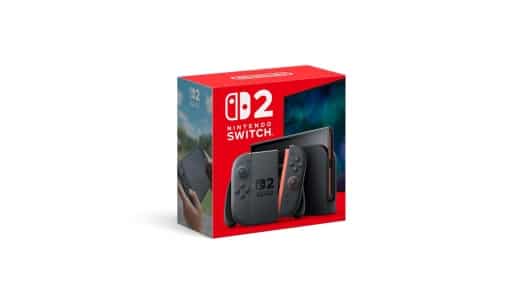



Following the launch of the Nintendo Switch 2 in June of last year, third-party manufacturers have sought to address the physical and connectivity limitations of the console’s official dock. JSAUX’s 6-in-1 Gaming Dock for Switch 2 is a multi-functional alternative designed to act as a hub for multiplayer households, combining controller charging, high-speed wired connectivity, and physical storage into a single folding unit.
A Centralized Set-up for Multiplayer Households
While the official dock serves basic TV output needs, users with multi-controller setups often require a more complete solution. JSAUX’s 6-in-1 Gaming Dock enters the market as an alternative to the official dock. Unlike the brand’s minimalist 7-in-1 Multifunctional Dock, which acts as a low-profile adapter, this unit is explicitly designed to serve as a visible, centralized media hub. The design objective here is to organize and charge multiple accessories in a single, unified platform rather than relying on messy individual cables.

This layout specifically targets households that have accumulated extra controllers over the console’s first year on the market. Rather than letting secondary chargers clutter a desk or remain tucked away in drawers, this dock aims to consolidate them into a single setup. It addresses a common pain point for families and co-op gamers who find themselves constantly managing battery levels. Additionally, its aesthetic aligns with modern desktop configurations, presenting the console as a prominent piece of hardware rather than a hidden accessory. For those who prioritize quick access to multiplayer gear, this layout serves as an organizational anchor.
Daily Usability, Power Delivery, and Case Compatibility
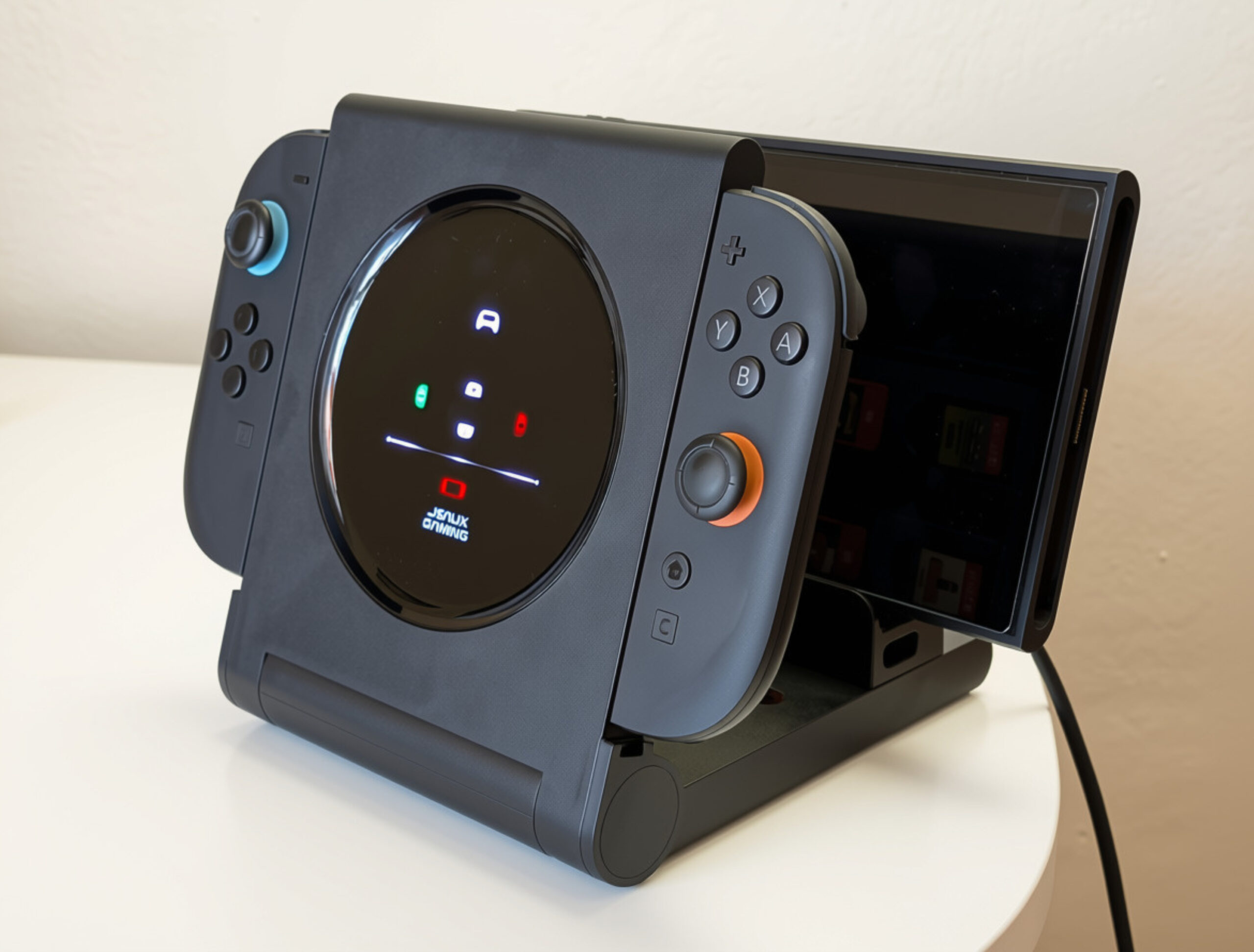
Integrating the dock into a daily routine reveals both practical conveniences and minor physical friction. The core benefit is its ability to charge up to four Joy-Con 2 controllers and either a console or a Switch 2 Pro Controller. To switch between charging the controller and the console on the central port, JSAUX utilizes a modular design. Users must manually add or remove a physical adapter block. When this plastic piece is installed, it provides a stable rest for the console, while removing it exposes the bare USB-C connector for the Switch 2 Pro Controller, akin to JSAUX’s Multi-Controller Energy Station.
While this modularity is clever, docking the console can still feel somewhat clumsy. The connector pivots to prevent physical port damage, but this movement makes alignment tricky. Physical case compatibility is also highly dependent on thickness. Testing confirmed that the brand’s own ModCase fits naturally into the slot, whereas the Split Case was exceptionally difficult to align and slide onto the connector. Despite being a similar size, the Split Case is officially unsupported by JSAUX, which is an important limitation for its daily users.
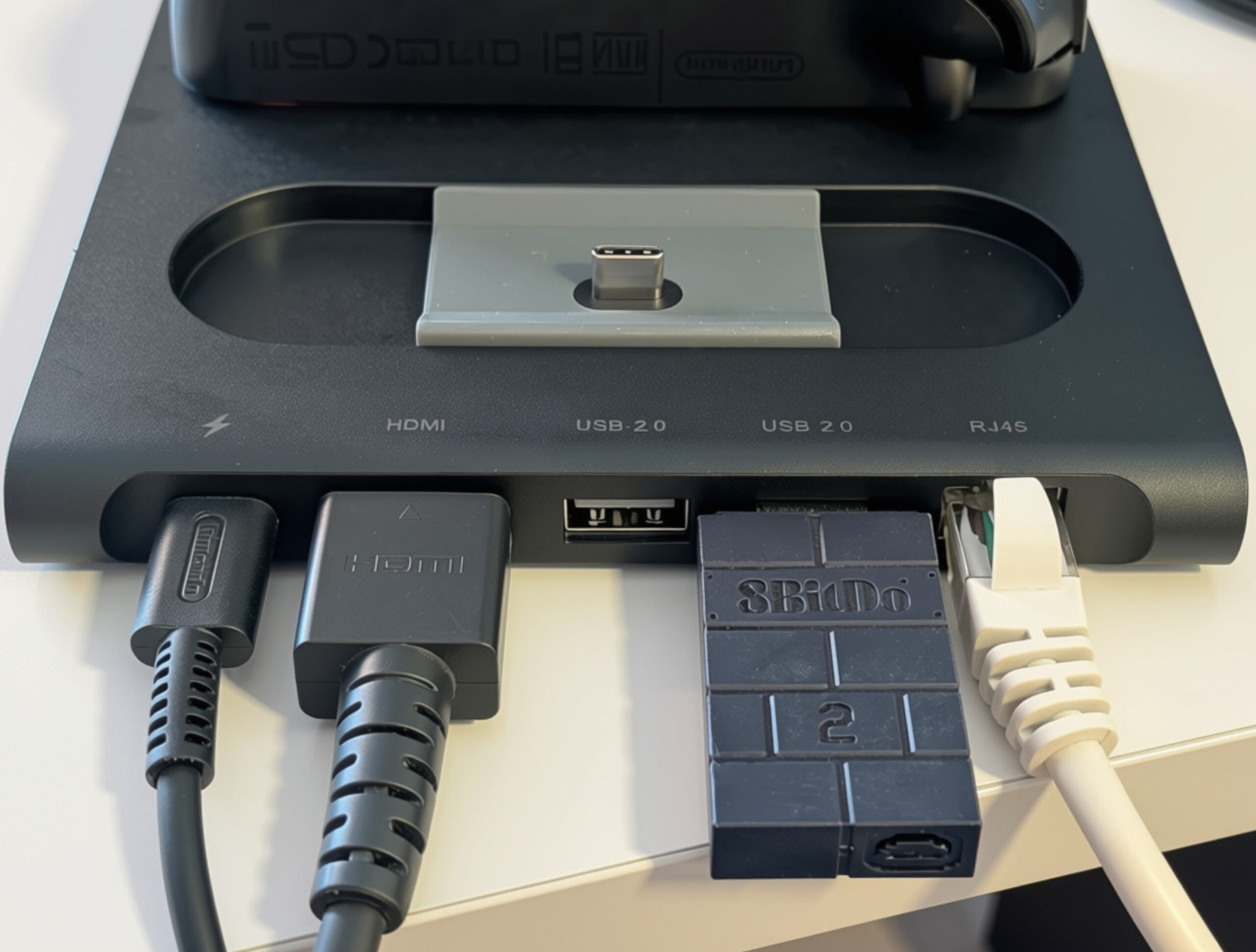
Additionally, port spacing remains tight. The back features only a single USB-C port dedicated to power delivery, meaning extra USB-C peripherals must use the console’s top port. Meanwhile, the two USB-A ports are spaced closely together; inserting a wider wireless dongle, such as an 8BitDo adapter, can block the adjacent port, requiring a separate USB extension cable to remain usable.
Robust Design, Portability, and Performance
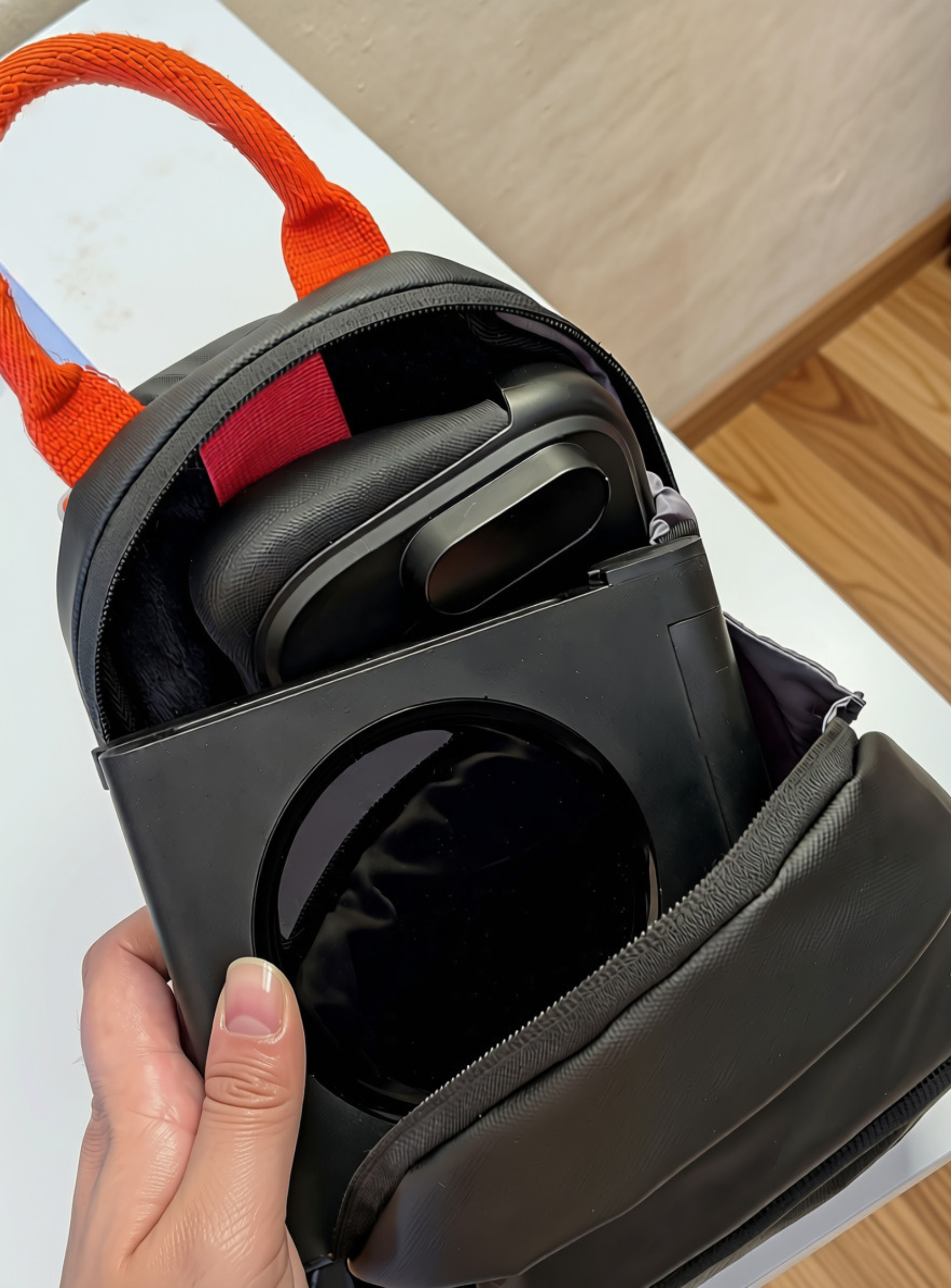
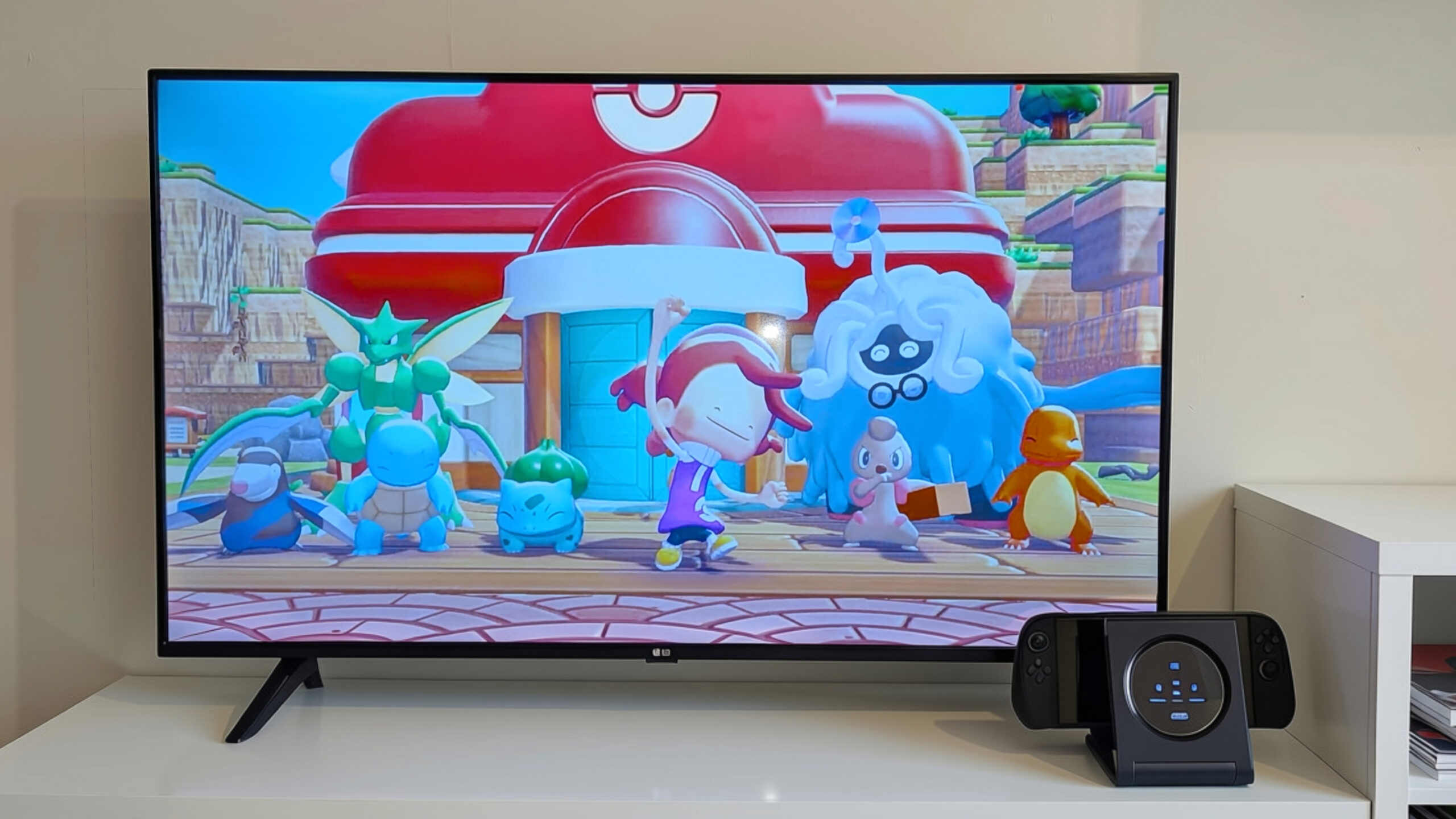
Constructed from dense matte plastic, the 6-in-1 Gaming Dock features a solid build quality that resists surface scratching and feels durable. A key design highlight is the clamshell folding mechanism. Weighing 405 grams, the entire structure folds flat, making it exceptionally portable and easy to pack into a travel bag. When unfolded, the dock features a circular display panel on the front. This display contains a permanent white illuminated logo alongside specific indicator icons for the console and each controller slot, separated by a central white LED partition.

While this display panel adds a clean visual element to a setup, its lack of customization feels like a missed opportunity. Providing an option to upload custom graphics or view real-time system info would have greatly enhanced its utility. In terms of performance, the dock is technically robust. The built-in HDMI 2.0 port supports video output up to 4K resolution at 60Hz, as well as 1080p and 2K formats at 120Hz. Throughout testing sessions on an external gaming monitor, the video signal remained stable, presenting crisp, low-latency imagery with accurate color reproduction and no noticeable artifacting.
Accessibility Considerations
From an accessibility perspective, the 6-in-1 Gaming Dock balances intuitive visual feedback with mechanical hurdles. The visual system on the circular display is highly legible. Instead of relying on generic status lights, the dock uses dedicated, device-specific icons that remain solid white during standby. When a controller or console is connected, the corresponding icon pulses in red during charging and transitions to green once fully powered.
Physical media storage is another key inclusion. Inside the folding panel, the dock features dedicated, molded slots capable of holding exactly four game cartridges and four microSD cards. This keeps core library titles and storage expansions consolidated and protected within the unit’s frame when folded.
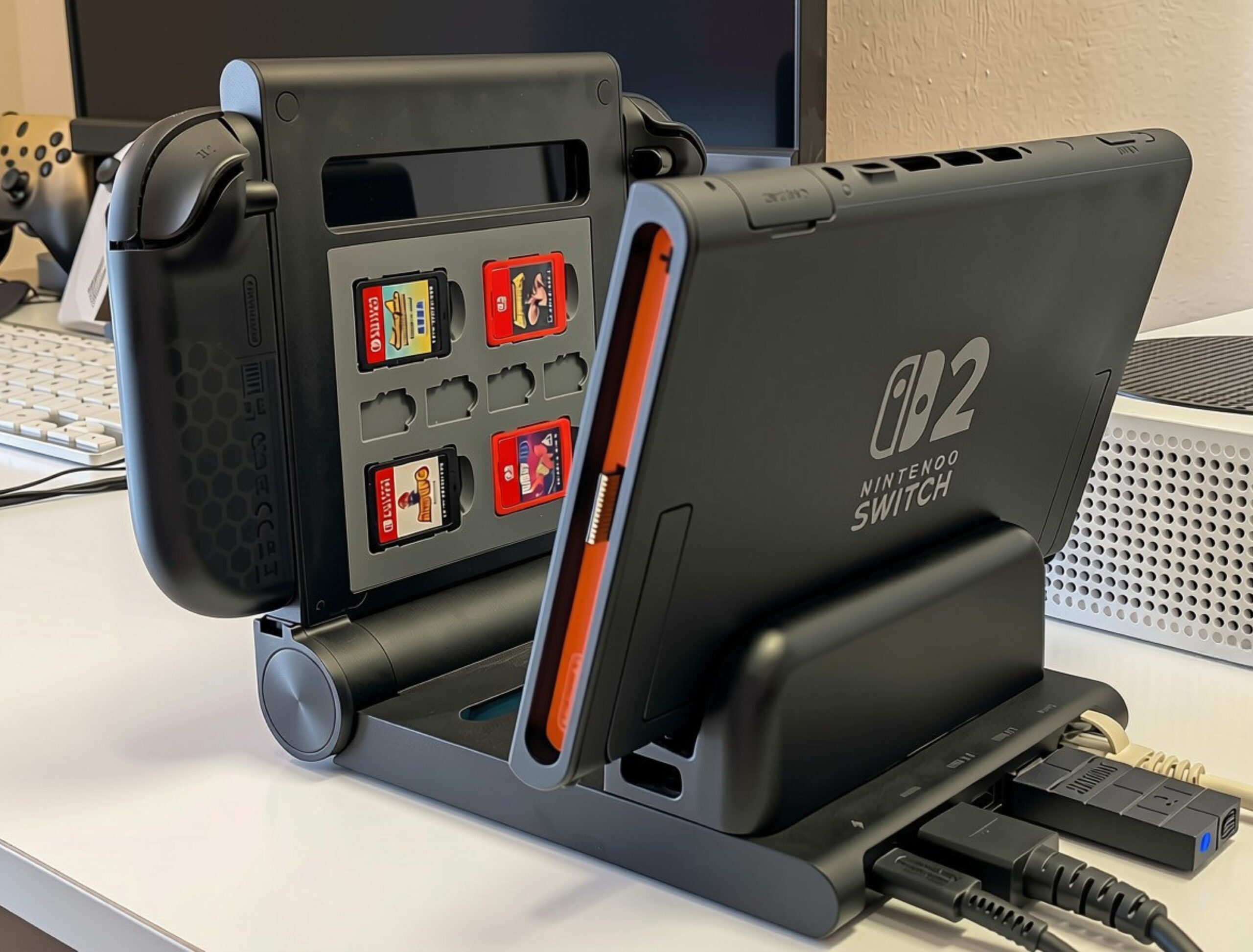
However, the pivoting USB-C connector remains a point of friction. While designed to protect internal ports from bending, this offers less lateral stability. Users with limitations or hand tremors may find docking the console on this plug somewhat frustrating. In contrast, the open-air design of the controller slots makes retrieving and inserting the Joy-Con 2 simple, demanding very little physical effort or precision.
Although the physical spacing of the rear USB-A ports can restrict the use of wider dongles, standard wired USB peripherals such as keyboards or basic adapters plug in and function without issue. This makes the dock a highly practical addition for users who regularly participate in online lobbies or local cooperative games, offering a reliable connection and consolidated accessory management in a single unit.
JSAUX Delives A Solid and Economic Alternative
JSAUX’s 6-in-1 Gaming Dock for the Nintendo Switch 2 is a highly functional utility station that offers a clear upgrade in connectivity and accessory organization over the official dock. At $59.99, it provides substantial value by integrating multi-controller charging, physical storage, and reliable wired networking into a single, highly portable folding chassis. For households with multiple players, the convenience of having up to five fully charged controllers on hand is a major benefit that justifies the price.
That said, potential buyers should consider the physical compromises of its layout. The pivoting, flexible USB-C console connector requires careful alignment, making quick docking somewhat tedious. Case compatibility is also a notable concern, as users utilizing the popular Split Case will find docking nearly impossible, whereas the ModCase fits perfectly. The tight spacing of the rear USB-A ports also presents practical issues for those utilizing wider wireless dongles, and the non-customizable display represents some missed potential.
Despite these minor design flaws, the robust build quality, ease of transport, and excellent charging performance make this dock a highly recommended accessory for families and multiplayer-focused setups. If you prefer to display your hardware openly and require an organized charging hub, this device is a reliable alternative to official options. While it may not suit users looking for a minimalist setup, it excels at what it is designed to do: keeping your primary gaming gear organized and ready.
JSAUX 6-in-1 Gaming Dock for Switch 2
Summary
The JSAUX 6-in-1 Gaming Dock for Switch 2 is a versatile accessory that succeeds in organizing controllers and offering convenient storage. However, its flexible connector can make docking finicky, and the closely spaced USB-A ports restrict some dongles. Despite some minor issues, it remains a highly useful and reliable hub for many set-ups.
As always, remember to follow us on our social media platforms (e.g., Threads, X (Twitter), Bluesky, YouTube, and Facebook) to stay up-to-date with the latest news. This website contains affiliate links. We may receive a commission when you click on these links and make a purchase, at no extra cost to you. We are an independent site, and the opinions expressed here are our own.