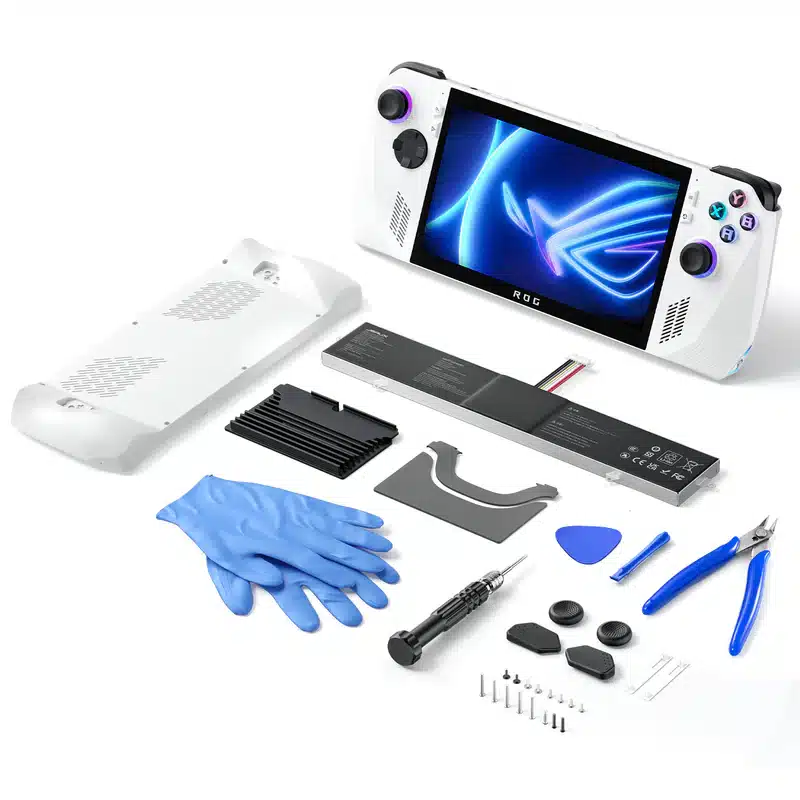
JSAUX has quickly become the gold standard for third-party accessories. Their Battery and Thermal Upgrade Kit for the ROG Ally is perhaps their most ambitious project yet. Designed to breathe new life into the handheld from ASUS, this kit promises better cooling and longer play sessions. It targets users who are tired of the stock battery limitations or those who have had to deal with RMA units and want a more permanent, high-quality solution.
Why I Considered the Upgrade
The ROG Ally is a great device, but it is notorious for its aggressive heat and somewhat middling battery life. This kit is a fundamental shift in how the device handles power and thermals. Before this upgrade, the battery life was frankly subpar. It lasted barely an hour even when doing nothing major, such as simply watching YouTube. For many, including myself, the motivation to mod comes from a place of necessity. Especially after sending a unit back for repairs.



While I wouldn’t call myself a tech expert, I have dabbled in minor repairs like Joy-Con shell swaps. Stepping up to a full battery overhaul felt like a significant jump. The setup is designed to be approachable, yet it carries the weight of a somewhat serious hardware modification. It turns the Ally from a stock retail unit into something that feels custom and optimized for long-term use.
The Installation Experience
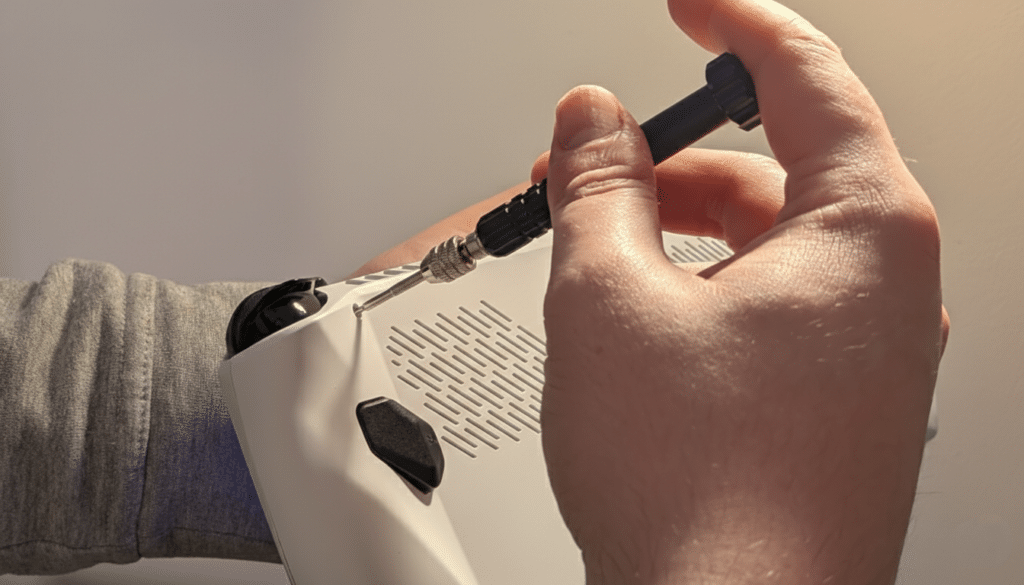
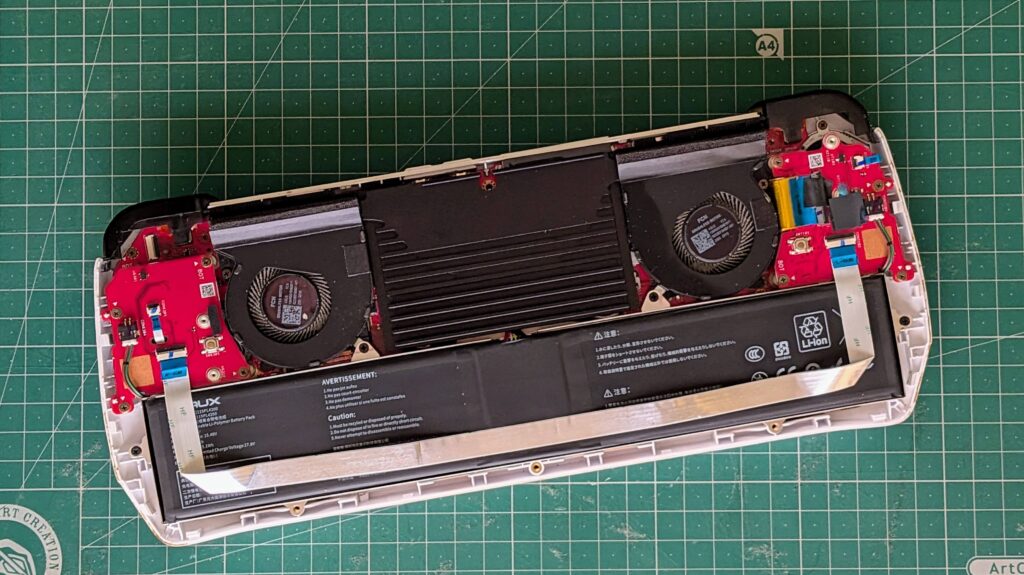
Let’s be real, even if a kit is labeled as easy, things happen. JSAUX claims an easy installation. While that is true in terms of complexity, the time investment can be surprising. I expected a 30-minute job but ended up spending nearly two hours. The text-based tutorial provided by JSAUX is your best friend here. While the video is a nice visual aid, the written version is significantly more in-depth and highlights key elements that the video glosses over.
One minor hurdle was the factory screws. Because my Ally had been through an RMA, some screws were incredibly tight. While the kit includes a screwdriver, you might need a beefier one from your own toolbox to get enough leverage for those stubborn factory-tightened points.
Design, Ergonomics and Improvements
The most immediate physical change is the replacement backplate. Visually, it might not look quite as fancy as the original ASUS design, but the tactile change is a massive win. The plate features a smooth finish that I personally prefer over the rugged, textured feel of the stock unit. It feels premium and comfortable for extended gaming sessions.
Beyond the feel, there is a practical victory here regarding thermal management. The kit includes a dedicated thermal conductor. While this makes the device feel somewhat heavier in the hand, it is a necessary trade-off. This conductor helps significantly in preventing heat build-up when playing demanding games.

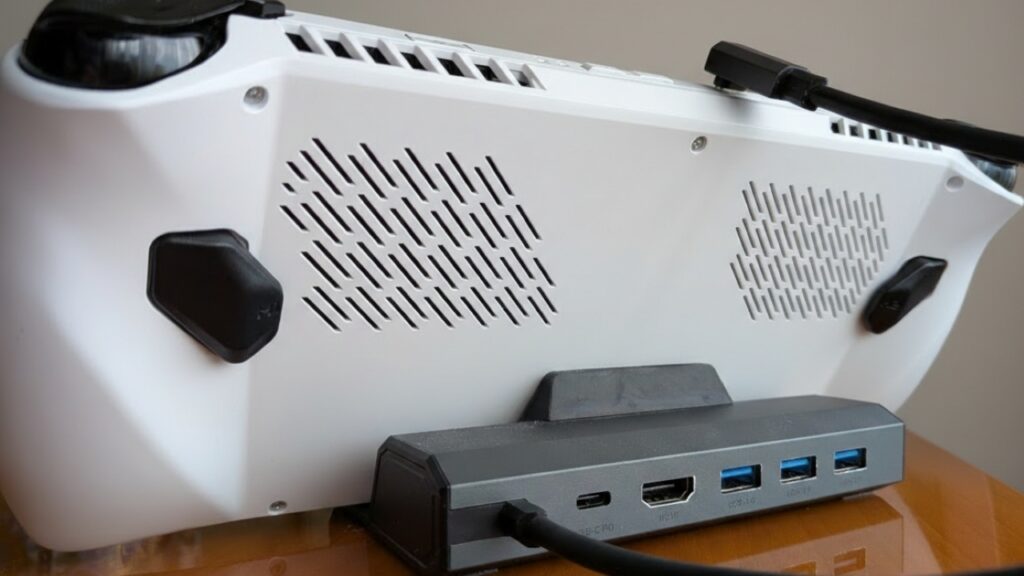
The original ROG Ally backplate is also known for stickers peeling or falling off over time due to heat. With this JSAUX replacement, that annoyance is gone. It feels like a more integrated, solid part of the machine. It balances the weight of the new battery and conductor well, ensuring the handheld doesn’t feel awkwardly bottom-heavy.
For the non-tech-savvy gamer, this kit is surprisingly accessible. JSAUX deserves credit for including a complete toolkit in the box, featuring pliers, replacement screws, and a screwdriver. This removes the barrier of having to buy specialized electronics tools. The modularity of the ROG Ally itself helps immensely. ASUS designed the device to be relatively easy to disassemble for repairs, and JSAUX capitalizes on this. The instructions are clear enough that even someone who has only ever swapped a thumbstick can successfully complete the upgrade. You just need to be willing to take your time and follow the written steps carefully.
If you want to see the process in action, I have abridged my nearly two-hour installation into a two-minute video. Hopefully, this gives you a clearer idea of the scale of the project.
So, is it Worth It?
In short, this kit is an exceptional value proposition for any ROG Ally owner. It has fundamentally changed how I use my device. Where I used to be tethered to a charger or limited to simple tasks to preserve a weak battery, I can now safely play demanding games for much longer periods. It fixes several of the small annoyances of the stock Ally while providing a significant performance floor.
If you are looking for a weekend project that will actually improve your gaming experience, this is it. It might take you longer than expected, especially if you are meticulous, but the result is a handheld that feels more pro than the one you pulled out of the original box.
What about you? Are you satisfied with the stock battery life of your ROG Ally, or have you reached the point where a replacement feels like a necessity? Let us know in the comments below!
As always, remember to follow us on our social media platforms (e.g., Threads, X (Twitter), Bluesky, YouTube, and Facebook) to stay up-to-date with the latest news. This website contains affiliate links. We may receive a commission when you click on these links and make a purchase, at no extra cost to you. We are an independent site, and the opinions expressed here are our own.