For many years, Nintendo solely dominated the handheld gaming market. However, the landscape radically changed when Valve launched the Steam Deck, a device that allowed you to play your Steam library anywhere. Following this, several companies followed suit, releasing their own propositions like the ASUS ROG Ally or the MSI Claw. Even PlayStation joined the trend with its Portal, focusing on remote play.
Not to be left behind in this new and competitive market, Xbox has decided to collaborate closely with ASUS. They aim to offer the ROG Xbox Ally X. This Windows-based handheld console revision enters the market to improve upon the weaknesses of the original. Especially in battery life and ergonomics, positioning itself as one of the most powerful Windows 11 handheld devices. It is designed to be the ideal vehicle for the Xbox ecosystem in portable mode.

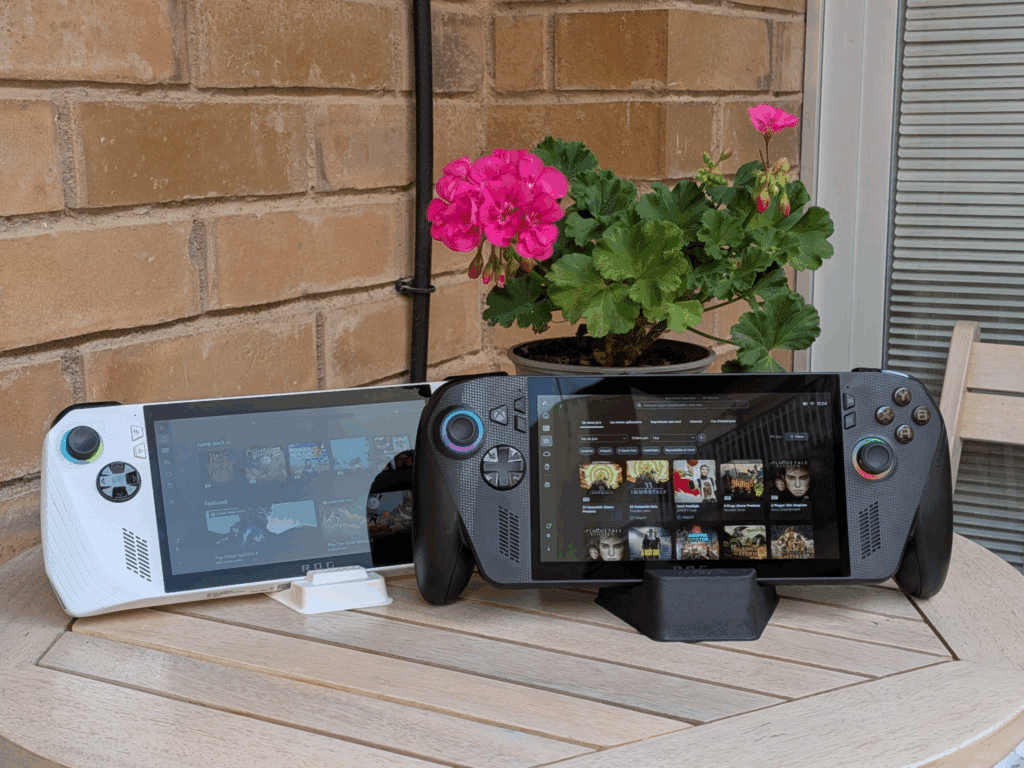
It is crucial to mention that in addition to the ROG Xbox Ally X (the version we are reviewing today), ASUS and Xbox also offer the ROG Xbox Ally. This version maintains a price closer to the original model and shares some of the design improvements but features key differences that do not drastically alter the base performance. The ROG Xbox Ally has a 60 Wh battery (instead of the X version’s 80 Wh). It comes equipped with 16 GB of RAM and 512 GB of SSD storage, while the X model has 24 GB and 1 TB, respectively. Colloquially speaking, it uses a slightly inferior processor to the one found in the X model. You can find all the differences on the official website, if you are interested.
First Impressions
The objective of the ROG Xbox Ally X is clear: to take the excellent performance base of the original and improve its long-term user experience. The revision features a more ergonomic body than the original model. It has a slightly thicker and more rounded design at the ends that better fills the hands. This allows for hours of play without hands falling asleep. Despite the considerable battery increase, the weight has been contained surprisingly well, making it feel even lighter.
The most notable change, in software, is its focus. The first boot after the typical initial Windows 11 setup takes us directly to the Xbox Full Screen Experience (FSE). Setup is remarkably simple, with a fully functional controller-based interface, making login data entry easy. The dedicated button for the original’s Armoury Crate application now takes us directly to the Xbox application library. This relegates the ASUS tool to a secondary role. This fact sets the tone for this revision: the main focus is Xbox as the gaming hub, with Windows 11 and ASUS utilities as the foundation. The initial Windows update process, however, can be a bit slow and breaks the rhythm.
Hardware, Power, and Battery Life
Speaking purely about performance, the ROG Xbox Ally X slightly improves upon what we already saw in the first version. The core is sustained by the Ryzen AI Z2 Extreme APU, but the true improvements are found in what surrounds it. The 80 Wh battery guarantees battery life and mitigates one of the main limitations of the initial model. Regarding memory, the 24 GB of LPDDR5X RAM provides a significant performance boost. This is especially important in systems that share memory with the GPU. Additionally, it incorporates 1 TB of M.2 2280 SSD storage, which is easily expandable.
The screen remains a 7-inch Full HD (1920x1080p) at 120 Hz with FreeSync Premium. Although it is not OLED, it offers excellent contrast and fluidity. The button layout and feel are practically identical to the original, offering control and precision. Cooling has also been revised, with an improved internal layout that helps keep the machine cooler and quieter.

In practice, this translates into a more consistent experience. By comparison, the original Ally felt more pocket-sized, but less prepared for long sessions. This new version is clearly more balanced.
Interface, Software, and Xbox Ecosystem
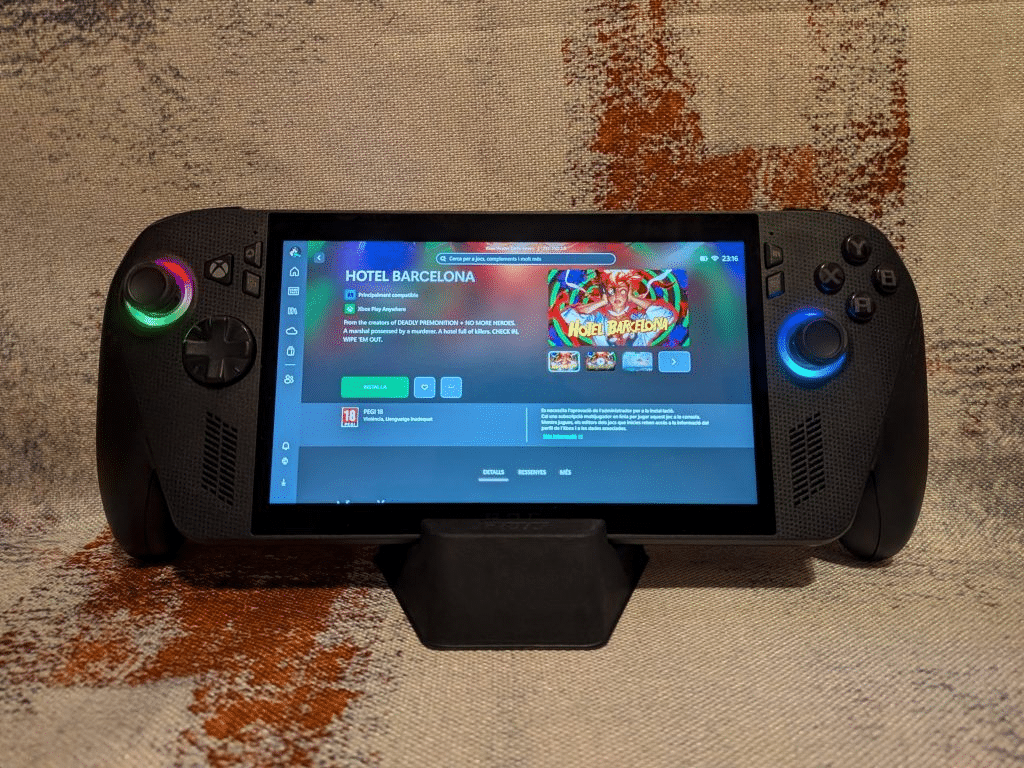
This is where the ROG Xbox Ally X makes the difference. ASUS and Microsoft have worked closely to deliver an experience that feels more like a console than a portable computer. The Xbox Full Screen Experience mode allows you to navigate the library, launch games, and manage profiles without the need for a keyboard or mouse. It is worth noting that the system is still Windows 11. So we always have the option to quickly access the full operating system. This allows all functions to be used as if it were a desktop computer. Personally, I use my ROG Ally every day for work and more. I do this simply by connecting it to a dock.
The Xbox and Steam applications (in Big Picture mode) come pre-configured to work without complications. This is key to feeling like you have a portable Xbox. Furthermore, the Armoury Crate SE application retains options to control performance, ventilation, and customize buttons, but it is now less intrusive than before. Similarly, from the Xbox app we can access the Edge browser, as well as install other game launchers, such as GOG and Battle.net. Unfortunately, some of these programs do not allow controller navigation, which slightly breaks the console feel. However, this does not depend on either Xbox or ASUS, so nothing to mention.
Despite this, there are still small details to polish. Screenshots and videos are managed through the Game Bar. Additionally, some Windows or game configuration windows slightly break the console feel. But for the first time, the idea of a “portable Xbox” with Windows feels real, even though these software improvements are present across all Windows 11 platforms.
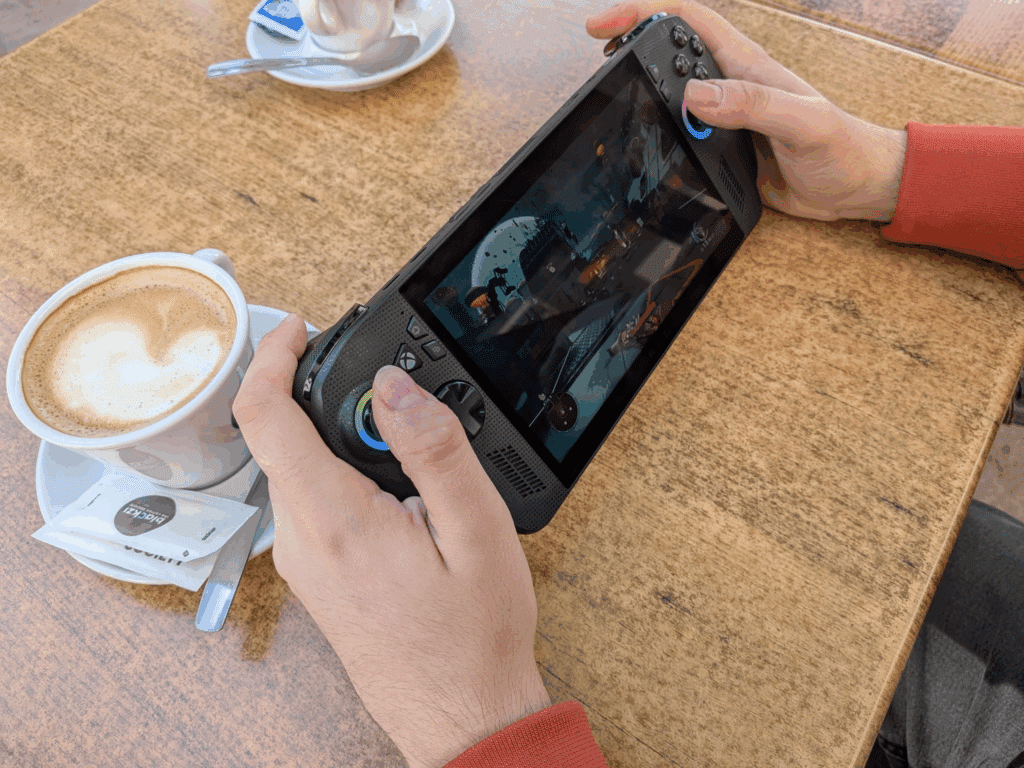
Accessibility and Connectivity
Regarding accessibility, improvements can be observed in terms of the PC user’s quality of life. The move to the M.2 2280 format for the SSD is a significant improvement. This allows the storage to be easily upgraded with a wider selection of drives on the market. All this without having to rely on specific adapters and models.
In connectivity, having two USB-C ports allows the device to be charged while a peripheral or video output is connected at the same time. A weak point of the original model. One of them is compatible with USB 4/Thunderbolt 4. That opens the door to more options when using docks and accessories.
The controls are reassignable through Armoury Crate, maintaining the high customization of the original. The fact that Edge is accessible as an application within the Xbox app (in FSE mode) is a positive point for browsing and using cloud services. We hope that little by little, Xbox will be encouraged to add the possibility of installing and running more useful programs and tools. Such as Discord/TeamSpeak, Playnite or similar, or even include other launchers like itch.io.


Performance in Different Games
The ROG Xbox Ally X confirms what many expected: it is one of the most powerful handhelds on the market, capable of running the latest generation games with surprising solidity for its format. During my tests with titles like Final Fantasy XVI, Black Myth: Wukong, Hogwarts Legacy, or the very recent The Outer Worlds 2, the experience has been very fluid, with performance often ranging between 55 and 70 fps at medium-high settings. The 120 Hz Full HD screen takes good advantage of this stability, offering an agile and very pleasant response.
Now, it is evident that much of this performance depends on AMD’s software magic. Both FSR (FidelityFX Super Resolution) and AFMF (Fluid Motion Frames) are essential to maintain a fluidity that, without these technologies, would clearly drop in many demanding games. In practice, this means that the console does not always reach 60 native fps, but rather simulates or generates them to compensate for the graphical load. In day-to-day use, the result is very positive, but it also makes it clear that the physical limit of the hardware is still present.
Regarding battery life, in demanding games the battery lasts around three continuous hours. In less heavy games or by limiting power and load, it can exceed four. This, combined with the improved cooling, makes the device feel much more like a true handheld device. Obviously, it cannot compete with a full gaming laptop, but the performance-portability ratio is currently one of the best on the market. The only drawback is that some games will require specific configurations to extract maximum performance.
A Look on the Dock
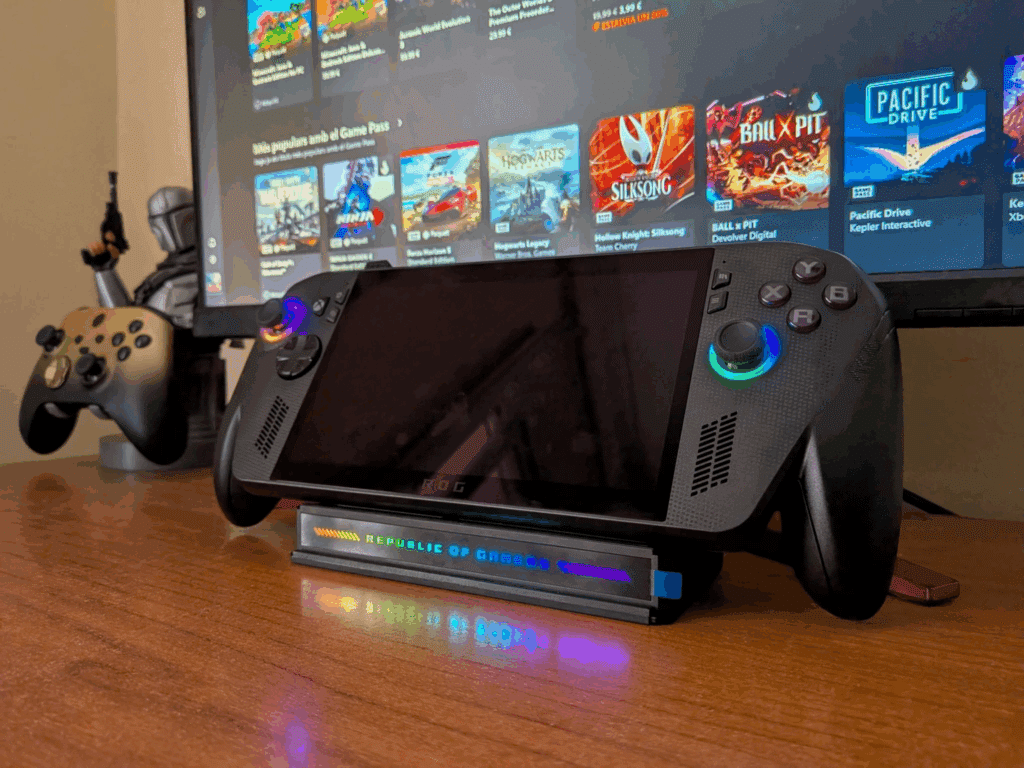
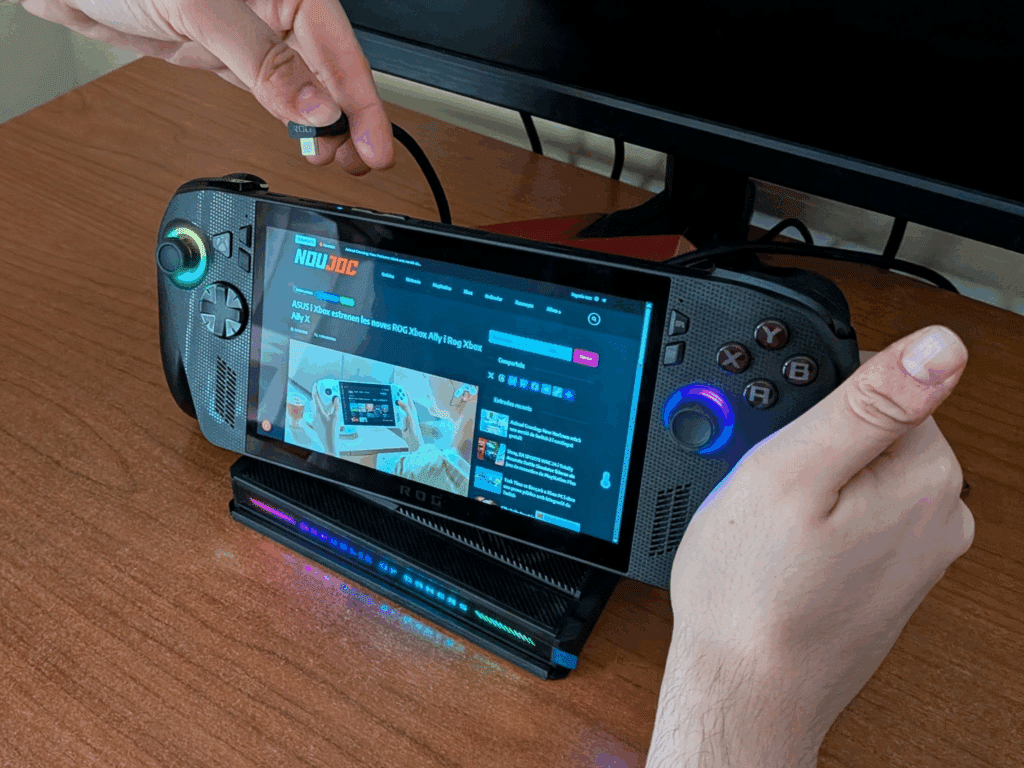
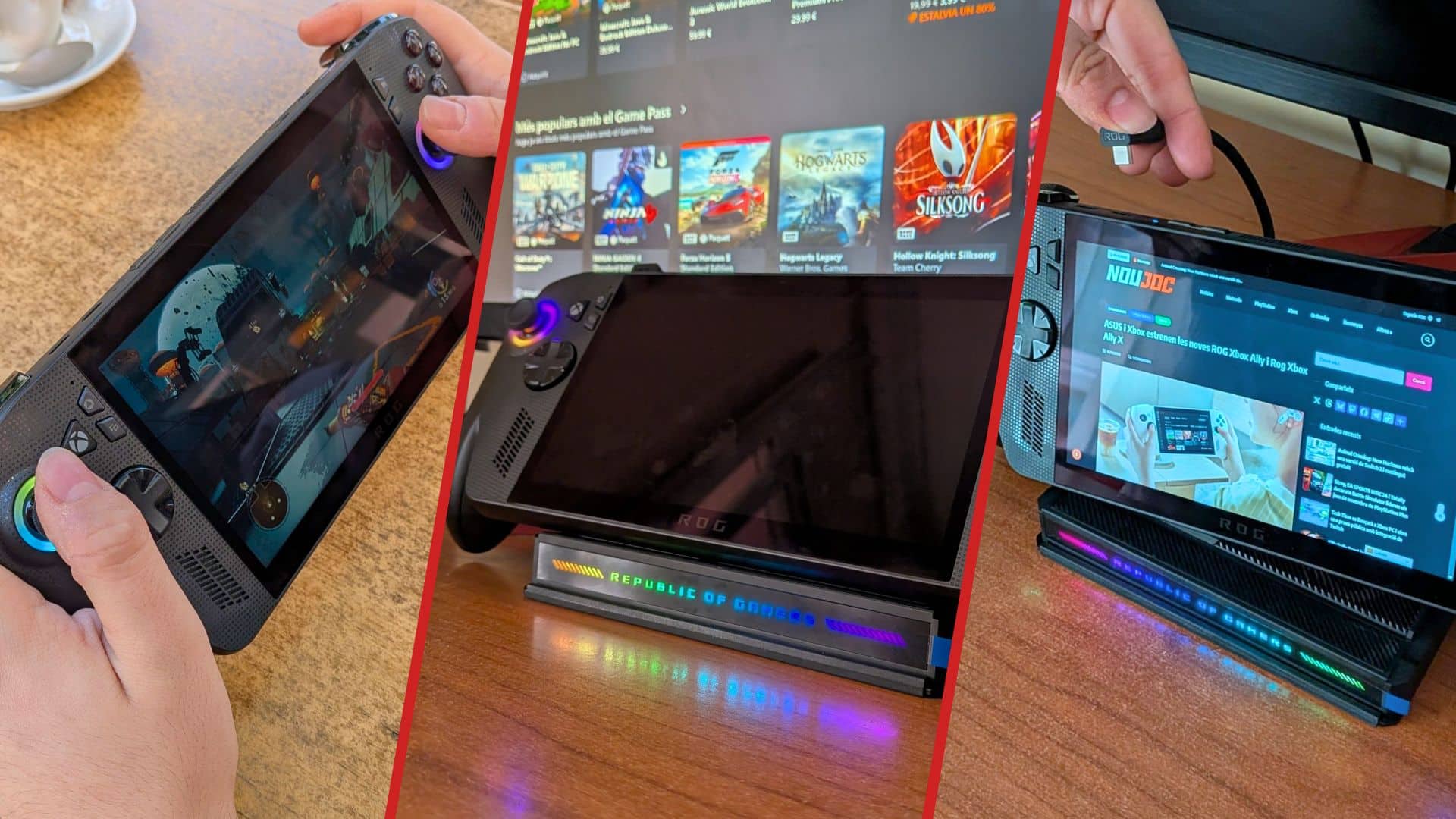
To complement the experience, ASUS also provided me with the official ROG Bulwark Dock DG300 to test the console connected to a monitor or television. This accessory allows the handheld to be transformed into a desktop machine, taking advantage of its capacity as a Windows 11 PC. The dock perfectly fulfills its function, with a finish and build quality that aligns with the console’s premium design. However, its price, like that of the ROG Xbox Ally X itself, may be considered slightly excessive for what it offers. Especially when compared to cheaper third-party alternatives. In short, it is a premium dock for a premium console: it offers great quality for the user who seeks integration and aesthetics.
Final Thoughts & Conclusion
The ROG Xbox Ally X is not a revolution, but a refinement of what was already one of the most popular handheld gaming devices. ASUS and Microsoft have managed to address practically all the weaknesses of the original model. The improvements in ergonomics, ease of repair and modification, as well as the operating system updates, show a commitment to the long-term experience. Furthermore, the partnership with Xbox to introduce the Full Screen Experience mode makes the experience much more intuitive.
However, AAA gaming performance still relies on AMD’s scaling technologies (FSR and AFMF), and the Windows experience can occasionally break immersion. The price of €899.00 places it as a premium option. For those looking for a more budget-friendly option, the standard ROG Xbox Ally model remains a great option to consider, as it offers most of the introduced improvements and costs €300 less. Those who can sacrifice a little battery and memory will find a great alternative there.
In summary, this machine is ideal for the PC or Xbox user who wants maximum portability without giving up mid-to-high-end performance, and who especially values ease of use and long-lasting battery life. If you already have the original Ally and are happy with it, the jump may not be essential, but for a new buyer, the ROG Xbox Ally X is undoubtedly one of the best Windows handheld consoles on the market.
ROG Xbox Ally X


Summary
The ROG Xbox Ally X perfects the Windows handheld formula. It offers excellent battery life, better game management, and superior ergonomics. The integration of the Xbox ecosystem significantly improves the user experience, although the performance of the most demanding titles still partially relies on scaling and frame generation technologies. It is a powerful, flexible, and very well-designed device, with a price commensurate with its features.
As always, remember to follow us on our social media platforms (e.g., Threads, X (Twitter), Bluesky, YouTube, and Facebook) to stay up-to-date with the latest news. This website contains affiliate links. We may receive a commission when you click on these links and make a purchase, at no extra cost to you. We are an independent site, and the opinions expressed here are our own.