


RDP-FIDO-GATE is Windows remote-access software from Imobile. It uses a Fast Identity Online 2 (FIDO2) security key, such as a YubiKey, to control access to the host. Until the key is verified, Windows Firewall keeps the host’s port closed rather than open for password-based login attempts. With version 1.19, Imobile extends that gated-access approach to FIDO Stream, a new mode aimed at game streaming.
FIDO Stream runs beside the existing Remote Desktop Protocol (RDP) option. It uses User Datagram Protocol (UDP) streaming with hardware video encoding. And, it supports gamepads, relative mouse capture, two-way audio, and monitor refresh rates up to 240 Hz.
RDP FIDO isn’t a cloud PC service on its own. If you want to use it for cloud gaming, you still need a Windows host or rented graphics processing unit (GPU) virtual machine (VM). You then install RDP FIDO on that system and connect from another Windows device. Imobile reports 25–45 ms click-to-photon latency on a local network. Cloud Dosage hasn’t independently tested that result.
FIDO Stream Adds a Gaming Mode Beside RDP
FIDO Stream sends the desktop over UDP rather than using RDP for the video stream. Imobile says the host can use hardware encoding, while your client device can decode the stream on its GPU. Forward error correction is used to recover lost data instead of waiting for a retransmission.
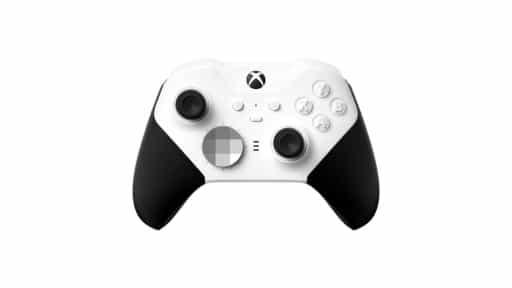
Controller and mouse support are built into the mode. Imobile says you can connect up to four XInput controllers with rumble through ViGEmBus, while relative mouse capture supports games that need direct mouse movement.
Refresh-rate matching can follow your display up to 240 Hz, and two-way audio carries game sound and microphone input. Imobile says its 25–45 ms click-to-photon result was measured on a local network. If you’re connecting over the internet, the company says you also have to account for the round-trip time between your device and the host.
FIDO2 Still Controls Access to the Stream
The same hardware-key security model carries over to FIDO Stream.

Imobile says Windows Firewall blocks outside access until your FIDO2 hardware key is verified. For FIDO Stream, UDP port 7441 then opens only to the authenticated Internet Protocol (IP) address for that session.
That means the streaming port isn’t left open continuously while waiting for a connection. If you’re running RDP FIDO on a cloud VM, authentication still happens from your client device, while the Windows host itself is rented and managed separately.
Cloud VMs Still Come With Game Compatibility Limits
A rented GPU VM can act as the Windows host for this kind of setup. Instead of getting a managed game catalogue, you install your own games and streaming software on the cloud PC.
RDP FIDO can handle the streaming connection in that setup, but it doesn’t remove the compatibility limits that come with virtual machines.
Some anti-cheat systems reject games running inside VMs. That means having enough GPU power and a working stream doesn’t guarantee every game you install will launch.
You still need to choose and pay for the Windows host, install your games, and check that they work inside a VM.
RDP FIDO handles the remote connection, not the rest of the cloud gaming setup. If you want to use it with a cloud VM, you still need to provide the host, install your own games, and make sure those games will run inside a virtual machine.
As always, remember to follow us on our social media platforms (e.g., Threads, X (Twitter), Bluesky, YouTube, and Facebook) to stay up-to-date with the latest news. This website contains affiliate links. We may receive a commission when you click on these links and make a purchase, at no extra cost to you. We are an independent site, and the opinions expressed here are our own.