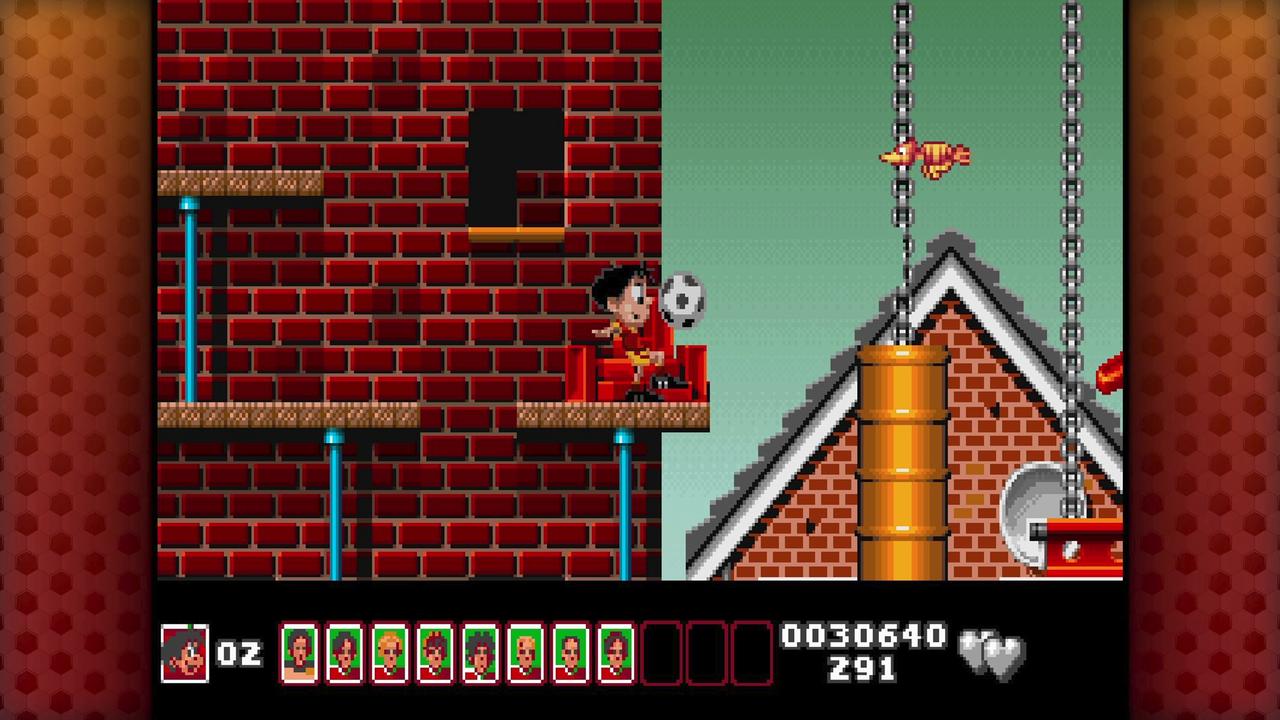
Soccer Kid Collection reminded me that some old platformers had one strange idea they were willing to build the whole game around. Here, it’s the soccer ball. You kick it at enemies, bounce off it to reach higher spots, use it to open chests, and need to keep track of it almost every second you are playing. When that all comes together, Soccer Kid has a personality that a lot of 1990s platformers never had.
The problem is that the ball can also make the game more frustrating than it needs to be. Lose it in the wrong spot, miss a bounce, or get caught by the camera while trying to judge a jump, and you can end up repeating the same section more than you want. Soccer Kid Collection brings the SNES and MS-DOS versions to modern platforms with useful extras, but it doesn’t erase every part of the original design that can get in your way.



QUByte has added save states, cheats, display settings, filters, controller remapping, and a museum with manuals, box art, music, and FMV clips. I enjoyed having those extras around because Soccer Kid benefits from a little context and a few ways to make its tougher spots less punishing. Still, this isn’t a remake. The original camera, controls, hidden routes, and dated stage material are all here too.
The Soccer Ball Changes Every Stage
Soccer Kid travels around the world after an alien pirate steals the World Cup trophy and scatters its pieces. It’s a simple reason to send him through different countries, but the game doesn’t need much more than that. What kept me playing was figuring out what the ball needed to do next.
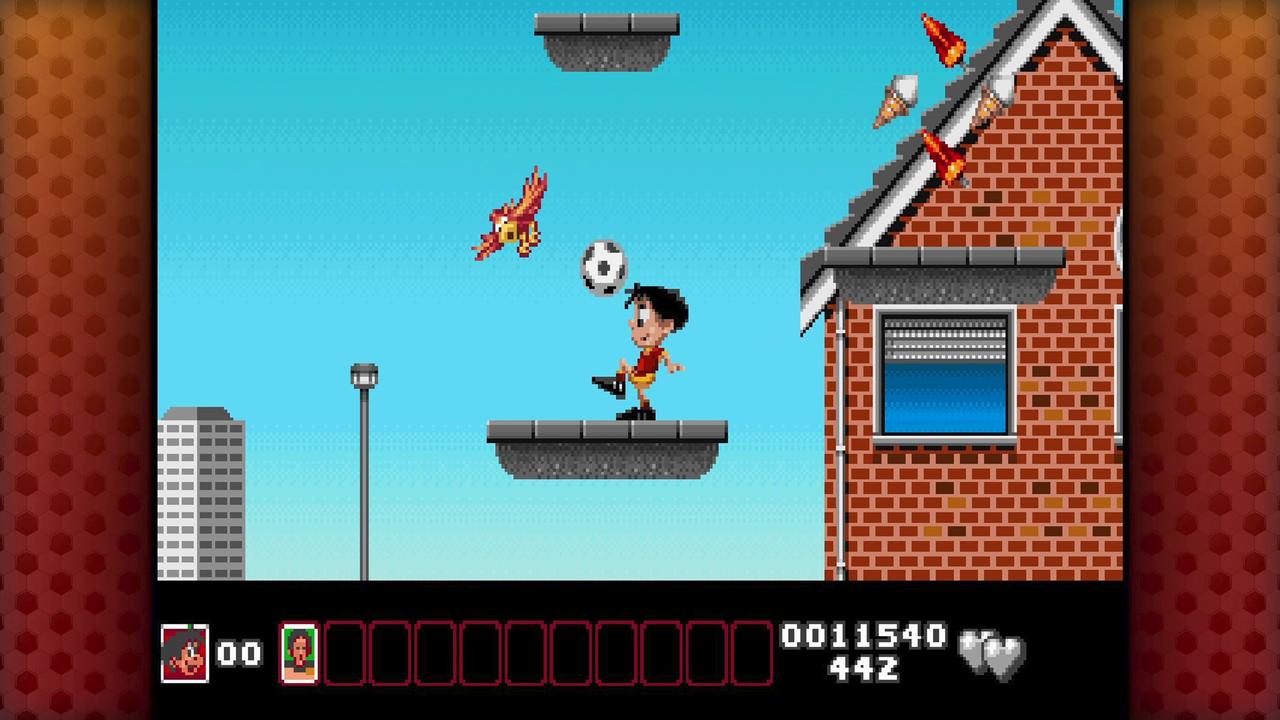
You use it to attack enemies, open chests, reach upper ledges, cross gaps, and get through hazards that stop Soccer Kid in his tracks. A jump that looks easy can turn into a small puzzle because the ball needs to be in the right spot before you can make it across. That’s what separates Soccer Kid from a basic run-and-jump platformer.
Every section had me thinking about where the ball needed to go before I could move on. Sometimes it was about lining up a bounce. Other times, I needed to kick it through an opening or put it in position before climbing higher. When it all comes together, Soccer Kid has a strange way of making a simple soccer ball important to almost every part of a stage.
That same idea can get annoying fast. Send the ball down a hole, kick it behind an obstacle, or miss the right angle for a bounce, and you may be stuck trying to recover from one small mistake. Soccer Kid expects you to learn many obstacles through repeated attempts instead of showing you exactly where to go.

Limited visibility above and below Soccer Kid makes ball placement harder than it should be. Jump is mapped to Up by default, although the controls can be remapped. Changing that right away made the opening easier to deal with, but it doesn’t change how old the ball movement can feel.
Tools That Make The Original Game Easier To Approach
The modern extras are what keep this from being a bare re-release. Save states, cheats, screen modes, CRT filters, aspect-ratio settings, and controller remapping don’t change the original game, but they let you deal with its rougher spots on your own terms.
Save states are especially useful when a jump, ball bounce, or hidden route goes wrong. Soccer Kid has several places where one mistake sends you back through a chunk of a stage you had already figured out. Being able to retry the obstacle instead of replaying the whole stretch keeps the game moving when an older platforming idea starts wearing thin.
The cheat options have value too. Infinite lives, invincibility, and infinite time won’t be for everyone, but I’m glad they are included. Some retro fans will want to tackle Soccer Kid exactly as it was first made. Others will want to see more of the levels, hear the music, and work through the strange World Cup adventure without getting stopped cold by an old platforming hurdle.
I also appreciated being able to remap the controls instead of being stuck with the original layout. That is one of the first things I’d change before spending much time with the game. It doesn’t fix every issue with the ball movement, but it makes the opening feel less awkward.
The rewind option is less consistent. It’s available in the SNES version but not in the MS-DOS version. That’s hard to understand because the MS-DOS game has its own difficult platforming stretches and would benefit from the same safety net. The collection has the right kinds of options, but I wish they had been applied evenly across both versions.
Two Versions Add More Than A Straight Re-Release
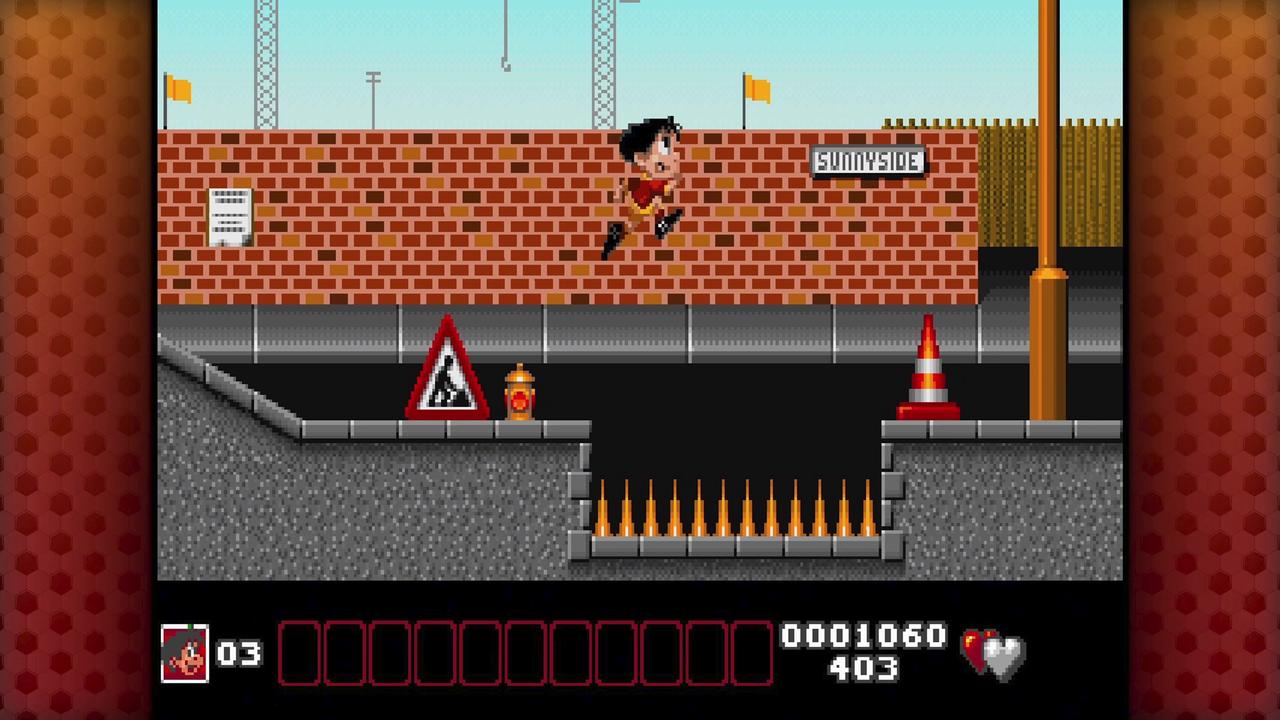
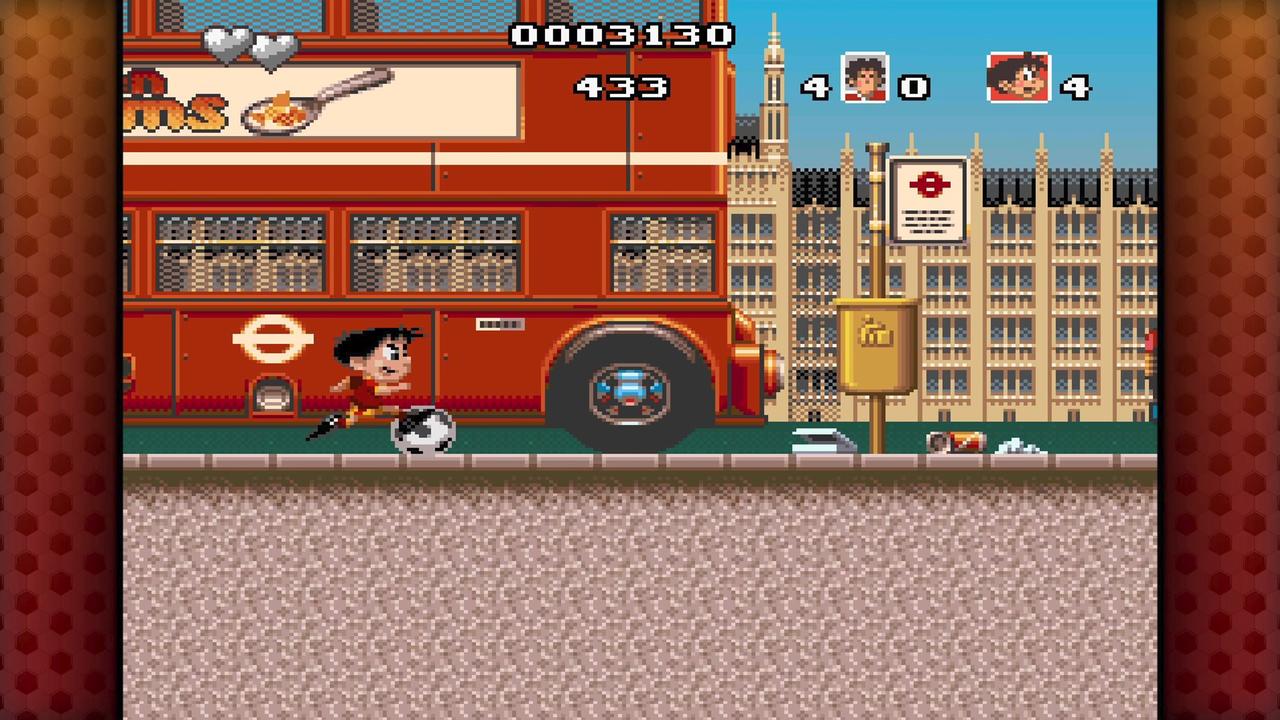
The SNES and MS-DOS versions aren’t identical. The MS-DOS release includes animated cutscenes and CD-era audio, and both releases have their own stage differences and visual details. That makes this more than one old game dropped onto a modern store.

I got more out of the collection by trying both versions rather than sticking with one from beginning to end. The SNES game has the console look I expected from Soccer Kid, and the MS-DOS release has more of its own identity through the cutscenes and soundtrack. Neither one changes the ball-centred platforming, but they are different enough that I didn’t see one as a throwaway extra.
The museum fills in some useful background around the game. Manual scans, box art, a jukebox, FMV viewing, and historical material make the collection more interesting for anyone who did not know Soccer Kid in the 1990s. The colourful sprites and upbeat music still have appeal, and the old cutscenes fit the exaggerated World Cup setup.
The missing Amiga and 3DO versions are hard to overlook. Soccer Kid began on Amiga and also reached 3DO in 1994. Leaving both out means this collection covers only part of the game’s history. The SNES and MS-DOS versions still make for an interesting package, but including the Amiga and 3DO releases would have made the preservation side more complete.
Hidden Cards And Camera Limits Make Completion Tougher
Football cards are hidden throughout the game’s worlds, and finding complete sets opens bonus content connected to the World Cup fragments. That adds another goal beyond reaching the exit. You need to search side paths, check places that do not look important at first, and go back when you realize a card was left behind.
I like that the cards encourage you to look around instead of treating every stage as a straight line. Soccer Kid has routes that are easy to miss, and the card hunt makes the levels feel bigger than the first path you see. It also makes the ball more important because it often decides whether you can reach a ledge or open up another route.
The camera gets in the way here. It doesn’t always show what is above or below Soccer Kid. That means some jumps become guesses until you have already made the wrong move. That’s where finding every card turns into a chore rather than another reason to explore.
Missing one card can mean replaying a large part of a stage. Save states reduce the penalty, but they don’t make the route itself clearer. This card hunt is for retro-platformer fans who don’t mind learning a stage through repetition. I had a much harder time with the card hunt when I needed to replay an area. One card could be tucked somewhere the camera did not properly show me.
The country-themed stages and bosses also use a few dated stereotypes. They’re part of the original game, and the collection leaves them intact. They are noticeable in 2026 and have not aged well.
Soccer Kid Collection Preserves A Clever Game With Old Problems Intact
This is for retro-platformer fans and game-preservation readers, not anyone looking for a forgiving modern platformer. The soccer ball remains a clever centrepiece because it shapes combat, exploration, and movement all at once. The two versions, museum material, and quality-of-life options make this more than a bare port.

I enjoyed lining up a bounce, finding another route, and seeing where the SNES and MS-DOS versions differ. That’s when the collection feels like a real look back at Soccer Kid rather than a basic retro upload. But the game can wear you down when the camera hides the next path or the ball gets away from you. A missed card can also send you through a stage again.
I’d point Soccer Kid Collection toward anyone who already enjoys older platformers that expect repeated attempts and careful route learning. There’s still something different about a game that uses a soccer ball for almost everything. QUByte has included enough museum material and modern tools to make it easier to revisit Soccer Kid. Readers who want responsive modern controls, clearer exploration, and a fuller archive of Soccer Kid’s history should approach it carefully.
Soccer Kid Collection
Summary
Soccer Kid Collection brings the SNES and MS-DOS versions of an unusual 1990s platformer to modern platforms. The soccer ball changes combat, jumps, and exploration in ways that kept me interested, while save states, controller remapping, and museum extras make this more than a basic re-release. Old camera limits, SNES-only rewind, and a demanding card hunt can wear you down. The missing Amiga and 3DO versions also leave the collection incomplete. This is one for retro fans who don’t mind learning old platformer quirks through repeated attempts.
As always, remember to follow us on our social media platforms (e.g., Threads, X (Twitter), Bluesky, YouTube, and Facebook) to stay up-to-date with the latest news. This website contains affiliate links. We may receive a commission when you click on these links and make a purchase, at no extra cost to you. We are an independent site, and the opinions expressed here are our own.