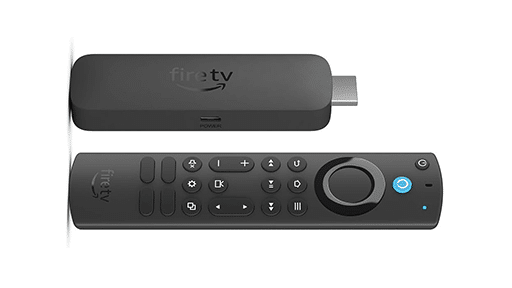



Cloud gaming already lets you play demanding games without needing a powerful PC. Now, the same remote-rendering approach is being used to explore interactive 3D environments through web browsers. You can explore a virtual world in your browser as a remote computer handles the demanding graphics work.
Property tours are one example of this technology in action. For DAMAC Crown, a property development in Dubai, PropVR created a digital experience combining browser access, real-time interaction, and Pixel Streaming.

How Cloud Gaming Technology Powers Interactive 3D Worlds
Think about what happens when you move a character in a cloud game. You press a button, the remote computer responds, and your screen displays the result. You don’t need a powerful graphics card inside your device to draw that world.
Unreal Engine’s Pixel Streaming uses a similar process for applications that aren’t games. The application operates on a remote computer or cloud server, sending video and audio through WebRTC to a browser. Keyboard, mouse, touch, and controller commands travel back to the application. You can turn the camera, select an object, or move through a scene rather than simply watch a prerecorded video.
Some 3D websites render graphics directly on your device. Pixel Streaming handles that demanding work on a remote GPU, so your device doesn’t need the same graphics power. It’s the same advantage cloud gaming offers, applied to interactive experiences beyond video games.
How PropVR Uses Remote Rendering for Property Tours
DAMAC Crown lets prospective buyers examine a multi-tower development without travelling to Dubai. They can explore individual units and amenities in a digital environment instead of relying only on photos or prerecorded tours.
PropVR built the DAMAC Crown experience with three technologies that serve different purposes. WebLite provides browser access without requiring a separate installation. Its real-time application handles navigation through the development, and Pixel Streaming provides detailed streamed visuals.
Instead of following a fixed video, prospective buyers choose which towers, units, or amenities to examine. That kind of direct control is familiar from cloud gaming, even though the experience here isn’t a game.
In its broader work with DAMAC, PropVR also uses a web-based Pixel Streaming sales tool with video calling. The touchscreen and VR versions are separate ways to explore its digital twins.
NVIDIA CloudXR.js Extends Remote Rendering to VR Headsets
Browsers can also connect people to environments viewed through VR headsets. NVIDIA introduced CloudXR.js in March 2026 so developers could stream remotely rendered extended reality (XR) applications to compatible browsers.
Here, the browser does more than display a view controlled by a mouse. It sends headset movement and controller actions back to an application connected to NVIDIA’s CloudXR Runtime. A remote GPU generates the views for each eye, and the headset displays those frames as someone looks around.
For a virtual building walkthrough or training environment, the headset doesn’t have to create all those graphics locally. NVIDIA identifies digital twins using Omniverse and interactive 3D training as potential applications for the technology.
This is different from opening a standard property tour on a laptop. Using CloudXR.js for XR requires a compatible WebXR browser and headset. Browser access removes the need for a dedicated native application, but not the headset itself.
Remote 3D Rendering Depends on Network and GPU Capacity
Remote rendering changes where the graphics are produced, but a reliable connection remains essential. Each action has to reach the remote application, and new frames must return quickly enough for movement to respond naturally. A delay can make turning a camera or walking through a digital room frustrating.
For CloudXR.js, NVIDIA recommends Wi-Fi 6 or 6E, bandwidth of at least 100 Mbps, and network latency below 20 milliseconds. Those are recommendations for its XR implementation, not universal requirements for every browser-based 3D experience. Epic also provides ways to adjust Pixel Streaming for image quality, latency, and stream reliability.
Developers still need computing resources to operate these remote applications. If hundreds of people want to explore an environment, the service needs enough GPU and streaming capacity to support them. Opening a browser removes part of the work for the visitor, not for the company providing the experience.
Someone exploring DAMAC Crown doesn’t need the same graphics power as the computer rendering its virtual buildings. With CloudXR.js, that remote-rendering approach also reaches compatible VR headsets. Cloud gaming has already shown the appeal of accessing demanding software on devices that couldn’t handle it alone, and these applications are putting that idea to use beyond games.
As always, remember to follow us on our social media platforms (e.g., Threads, X (Twitter), Bluesky, YouTube, and Facebook) to stay up-to-date with the latest news. This website contains affiliate links. We may receive a commission when you click on these links and make a purchase, at no extra cost to you. We are an independent site, and the opinions expressed here are our own.