Most gamers blame the server when a frame drops, but usually, the problem is sitting right on their desk. If you’re trying to stream your games at 1440p or 4K on a congested home network, your old Wi-Fi 6 setup is likely the bottleneck. To solve this, you need hardware from a brand that understands the “last mile” of your data. TP-Link has spent decades building its reputation through the Archer series, becoming a household name for everything from basic mesh setups to enterprise-grade switches.
It is a brand I have trusted and used for years in my own home, and their latest move into the Wi-Fi 7 space with the Archer GE series is designed specifically to address the high-throughput demands of modern streaming. The “GE” nomenclature, short for Gaming Edition, signals a shift toward prioritizing ultra-low latency. This shift is less about raw speed and more about how your router manages multiple data lanes simultaneously to keep your input latency low.
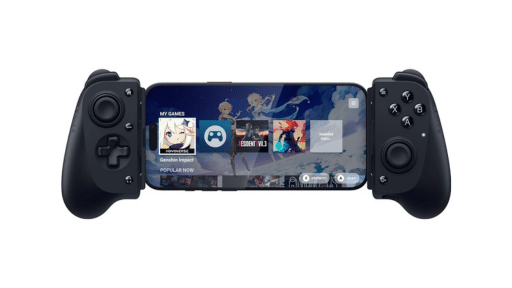


With cloud gaming services like GeForce NOW pushing higher bitrates, having a router that can handle the load without breaking a sweat is the difference between a flawless session and a frustrating mess.
The Multi-Link Operation Advantage
I remember the first time I tried to play Cyberpunk 2077 on a crowded Wi-Fi 5 environment that the input lag made it feel like I was playing through a bowl of soup. Wi-Fi 7 changes the math by introducing Multi-Link Operation (MLO). Instead of your gaming device being stuck on one band, it can send and receive data across the 2.4 GHz, 5 GHz, and 6 GHz bands at the same time. This effectively creates a wider highway for your data, which is a massive win for cloud gaming.
When you use a dedicated gaming band on a machine like the TP-Link Archer GE550 (BE9300), you’re effectively separating your session from the rest of the house’s data traffic. This gives you a clear path to the server without the micro-stutters that turn your cloud gaming experience into an unnecessary headache. Because the 6 GHz band is less crowded, it acts as a private lane for your stream, ensuring that your 4K bitrate doesn’t tank the second someone else starts a video call in the next room.
Choosing the Archer GE Hardware Benchmarks
If you’re moving toward a Wi-Fi 7 environment, you need to look at more than just the massive aggregate speed numbers on the box. The flagship TP-Link Archer GE800 (BE19000) boasts a total capacity of 19 Gbps. That number is a combined total across three different wireless bands. For cloud gaming, the real advantage isn’t that theoretical ceiling. It’s the standardizing of dual 10G ports and massive 320 MHz channels. This ensures that even if you have a multi-gigabit fiber connection, your hardware won’t choke on the incoming data before it even hits your device.
For those who don’t need a router that looks like a sci-fi reactor, entry-level units like the Archer GE230 (BE3600) still offer the core benefits. 2.5G ports and a dedicated 5 GHz band for your games. Even at 3.6 Gbps of total capacity, it’s more than enough. It will handle an uninterrupted cloud gaming stream while the rest of the house uses the other bands. The mid-tier Archer GE400 (BE6500) provides a middle ground. It offers better coverage and more 2.5G LAN ports for those who want a rock-solid wired backup. The goal is to eliminate any point in the chain where data has to wait in a queue. As every millisecond of “buffer” in your living room is a millisecond of lag in your game.
Cloud Reliability Starts at the Router
The move to Wi-Fi 7 is the best way to prove that the “cloud gaming doesn’t work” crowd is usually just suffering from poor local networking. When you have hardware designed to prioritize gaming traffic through built-in acceleration, the difference is immediate. You spend less time wrestling with a blurry image and more time actually playing.
Investing in a gaming-first environment ensures that your experience is defined by the game you’re playing, not the router sitting between you and the server. By upgrading the local side of the equation, you’re finally letting the cloud perform the way it was always intended to. This isn’t just an upgrade; it is the final piece of the puzzle for making the cloud your primary way to play.
As always, remember to follow us on our social media platforms (e.g., Threads, X (Twitter), Bluesky, YouTube, and Facebook) to stay up-to-date with the latest news. This website contains affiliate links. We may receive a commission when you click on these links and make a purchase, at no extra cost to you. We are an independent site, and the opinions expressed here are our own.