



The PlayStation Portal has changed a lot since launch, especially with cloud gaming support now available on the device. If you have been following our recent PlayStation Portal coverage, you already know how much smoother things feel with the new streaming upgrades and the growing selection of cloud ready PS5 games.
The PlayStation Portal delivers a solid experience on its own, but the right accessories can make an even bigger difference when you are streaming games through the cloud. Remote Play still works well for local streaming, but cloud gaming is where the device feels more flexible, especially if you want to play without staying locked to a single room.
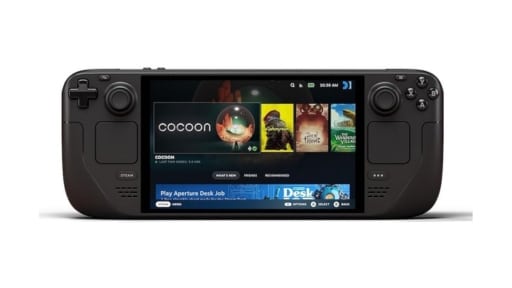
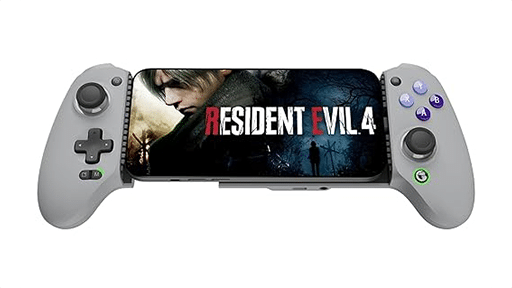

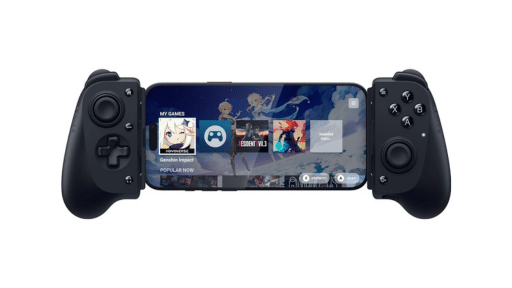
Cloud gaming on the PlayStation Portal also means you do not need to own a PS5, and if you do have one, it does not need to be powered on the way Remote Play requires.
Why Accessories Matter for Cloud Gaming on PlayStation Portal
A few things stand out right away. Audio hits a lot cleaner with the right headset or earbuds, and that matters even more now that cloud gaming is part of the PlayStation Portal. A good case helps too, whether you are traveling or you just want something safer than leaving it on the couch. And if you read our PlayStation Portal tips guide, you already know how much a proper setup can help with comfort and connection stability during longer play sessions.
This list pulls together the accessories that actually improve day to day use. Some help with comfort, some protect the screen, and others make the PlayStation Portal easier to pick up and play without worrying about battery or clutter. If you have been exploring our latest breakdown of cloud gaming on PlayStation Portal or checking out the best PS5 games to play with cloud gaming on the PlayStation Portal, these are the add ons that fit naturally into that experience and make everything feel a bit more convenient.
Affiliate Disclosure
Cloud Dosage may earn a small commission from Amazon or other partners when you buy through the links on this page. It does not affect the price you pay, and it helps support our coverage of cloud gaming and portable play.
What to Consider When Buying PlayStation Portal Accessories
Choosing the right accessories for the PlayStation Portal depends on how you plan to use it, especially now that cloud gaming is part of the experience. The device works well on its own, but a few add ons can make cloud sessions smoother, more comfortable, and a lot more convenient. Here are the things that matter most before you pick anything up.
Network and streaming setup
Cloud gaming relies on a stable connection, so your environment plays a bigger role than on a traditional handheld. If you stream often, you may want accessories that support longer sessions or protect the device when you move around the house. A clean Wi Fi setup, good placement near your router, and keeping the PlayStation Portal charged are all part of that routine. If you read our cloud gaming starter guide, you already know how much this affects performance.
Comfort for longer play
The PlayStation Portal has PlayStation style controls built in, but some gamers like small upgrades for grip or stick comfort. Extra thumb grips or ergonomic add ons help reduce hand fatigue during longer cloud sessions, especially with action heavy games.
Portability and protection
A case is almost essential if you plan to take the PlayStation Portal anywhere. Even moving it from room to room can risk bumps or scratches. A hard case or a soft shell pouch keeps the device safe, and adding a screen protector helps prevent wear on the large display.
Audio and communication
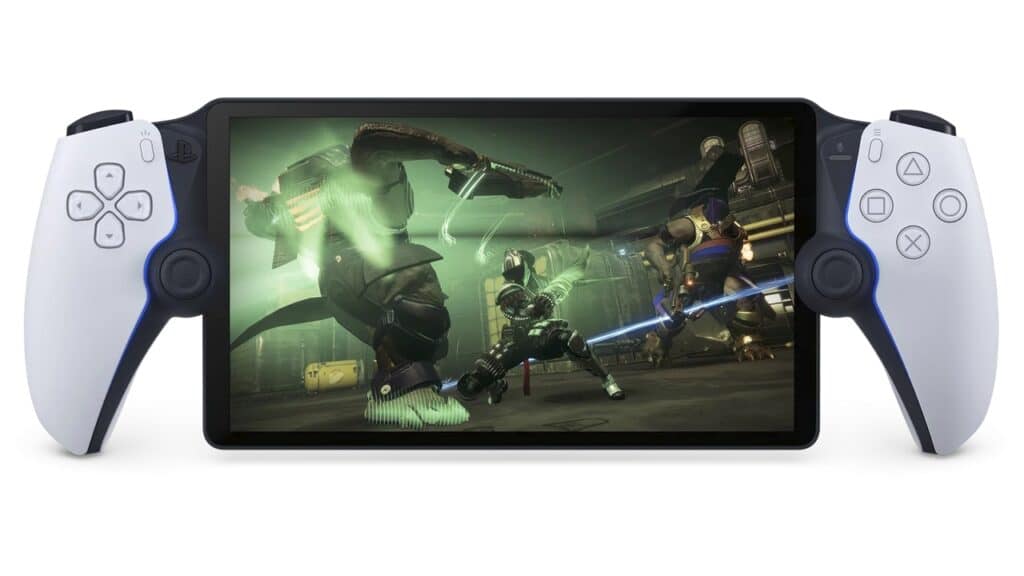
Since Bluetooth is not supported, audio choices are limited. PlayStation Link headsets and earbuds are the best match for clean, low latency sound during cloud gaming. Wired earbuds work too, but wireless convenience makes a big difference if you like to move around while you play.
Charging and daily convenience
The PlayStation Portal battery lasts a good session, but charging stations and organized desk setups help keep it ready without hunting for cables. If you use the device a lot for cloud gaming, having a simple drop and charge solution removes a lot of small annoyances.
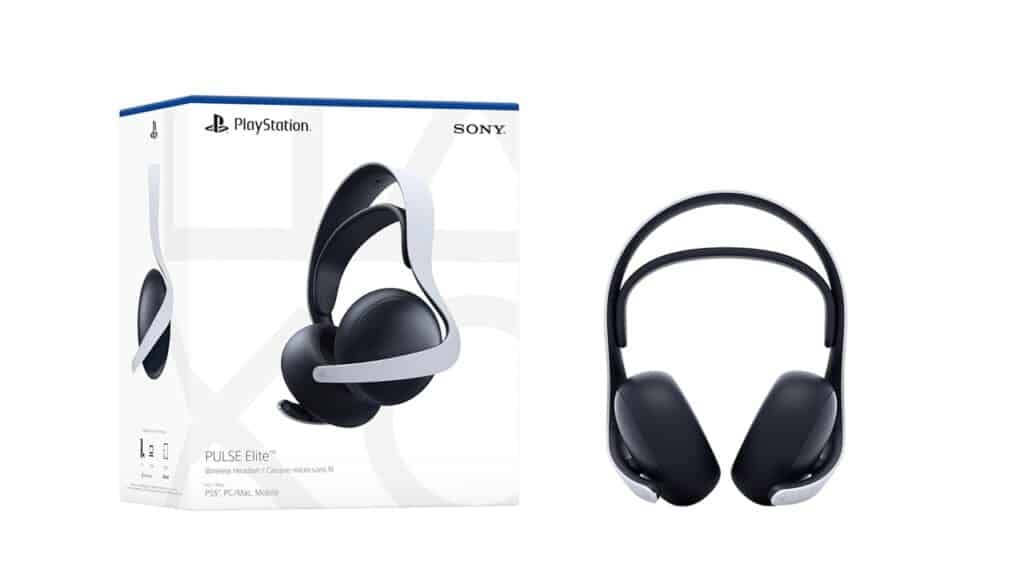
PULSE Elite Wireless Headset
The PULSE Elite Wireless Headset is one of the best audio upgrades for the PlayStation Portal, especially if you spend a lot of time cloud gaming. Since the device does not support Bluetooth, PlayStation Link is the most reliable way to get clean, low latency sound, and the PULSE Elite takes full advantage of that. You get a steady connection, fast response, and audio that stays clear even during busy action scenes or fast moving camera work.
PULSE Elite Wireless Headset Performance
The headset uses Sony’s planar magnetic drivers, which produce detailed sound without feeling harsh or muddy. Cloud gaming benefits a lot from this because small audio cues are easier to pick out, and the wireless connection stays stable when you move around the room. The built in microphone also keeps your voice clear during party chat sessions, which is helpful if you use Remote Play or cloud gaming to stay connected with friends while the TV is free.
Pros
- Great sound quality
- Comfortable for long sessions
- Fast, stable PlayStation Link connection
Cons
- Higher price compared to basic headsets
- Bulkier than the PULSE Explore
Who are the PULSE Elite Wireless Headset for?
The PULSE Elite is a great pick if you want stronger, more consistent audio during cloud gaming on the PlayStation Portal. It is also a good fit if you use your PS5, PC, or laptop alongside the Portal and want a single headset that works across all of them through PlayStation Link. The comfort and clarity make longer sessions feel easier, and the low latency connection keeps everything feeling responsive on the Portal.
You can find the PULSE Elite Wireless Headset on Amazon here.
PULSE Explore Wireless Earbuds
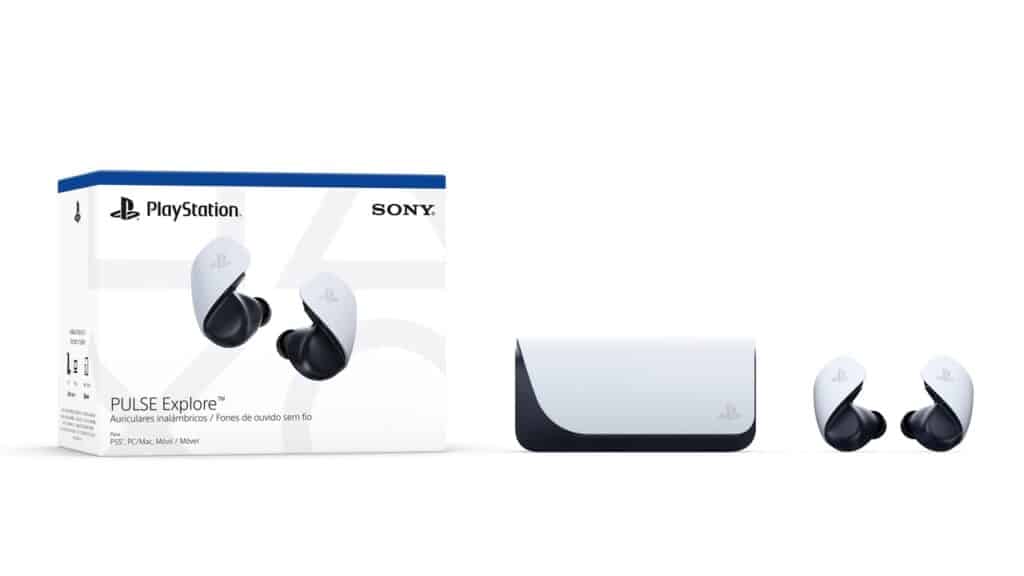
The PULSE Explore Wireless Earbuds are a great option if you want a lighter, more portable audio setup for the PlayStation Portal. They use the same PlayStation Link technology as the PULSE Elite, so you get a fast and stable wireless connection without dealing with cables. This makes them especially useful when you are walking around the house while cloud gaming or settling in for a late night session without disturbing anyone.
PULSE Explore Wireless Earbuds Performance
The earbuds use planar magnetic drivers, which deliver clear and detailed sound. Dialogue, effects, and ambient audio all come through cleanly, and the low latency connection helps keep everything in sync with what is happening on screen. They also support multipoint, so you can stay connected to your phone and take a call without interrupting your cloud gaming session on the PlayStation Portal.
Pros
- Lightweight and comfortable
- Fast wireless audio through PlayStation Link
- Great clarity for a handheld gaming setup
Cons
- Shorter battery life compared to a full headset
- More expensive than basic wired earbuds
Who are the PULSE Explore Wireless Earbuds for?
The PULSE Explore is a smart pick if you want high quality sound in a smaller package. It is ideal for anyone who uses the PlayStation Portal in bed, on the couch, or around the house and prefers earbuds over a full headset. If you like staying flexible while cloud gaming and want something easy to carry, these earbuds fit right in with how the PlayStation Portal is meant to be used.

You can take a look at the PULSE Explore Wireless Earbuds on Amazon here.
PlayStation Link USB Adapter
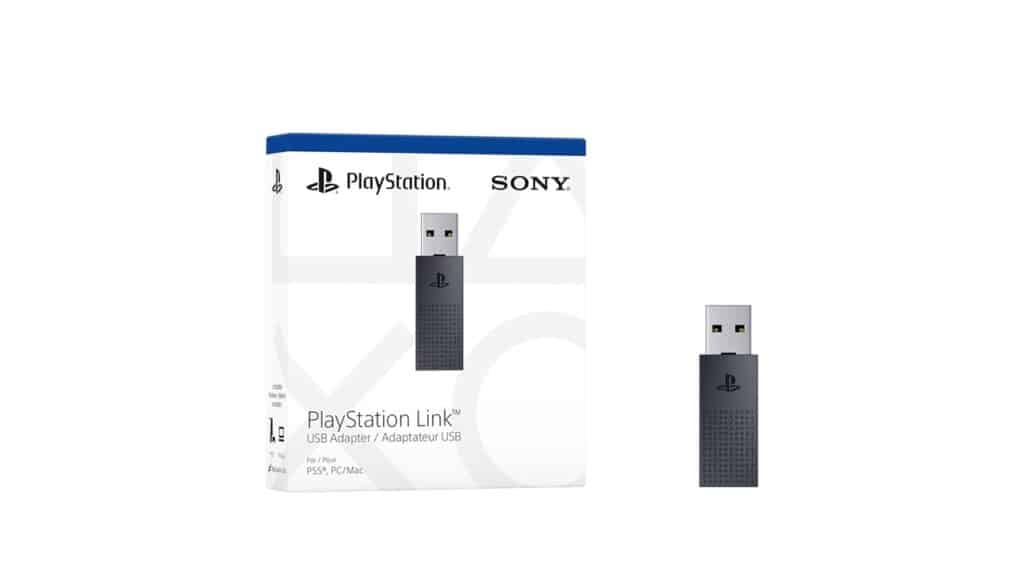
The PlayStation Link USB Adapter is a handy accessory if you use the PlayStation Portal alongside other devices. The Portal already supports PlayStation Link on its own, but the adapter lets you bring the same low latency wireless audio to your PS5, PC, Mac, or laptop. This makes it easier to switch between devices without changing your audio setup, especially if you use the PULSE Elite or PULSE Explore.
PlayStation Link USB Adapter Performance
The adapter keeps the same fast and stable connection you get on the PlayStation Portal. Audio stays in sync during cloud gaming sessions, and it avoids the delay that can show up with traditional Bluetooth. If you move between the Portal and another device often, the adapter helps everything feel consistent. Pairing is simple, and once connected, it stays reliable even when you change rooms.
Pros
- Easy to pair and switch between devices
- Stable low latency wireless connection
- Ideal for cross device setups
Cons
- Not needed if you only use the PlayStation Portal
- A separate purchase for non PlayStation Portal devices
Who is the PlayStation Link USB Adapter for?
The PlayStation Link USB Adapter is great if you play on the PlayStation Portal and also spend time gaming or chatting on a computer or console. It lets your headset or earbuds follow you between devices, which feels convenient if you use the Portal for cloud gaming and keep your PS5 or laptop in another room. If you want a simple, consistent audio setup across everything you use, this adapter helps tie it all together.
You can check out the PlayStation Link USB Adapter on Amazon here.
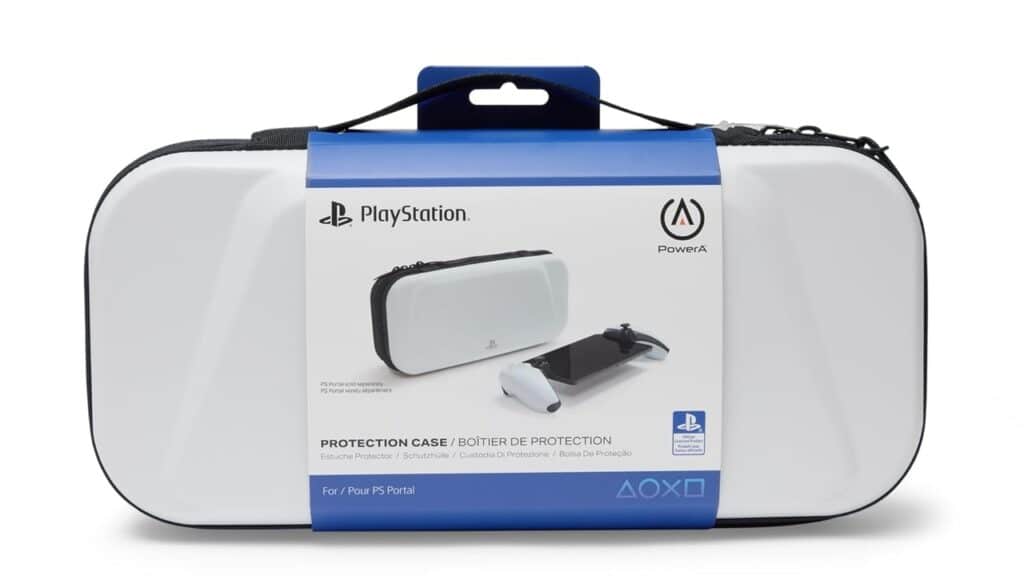
PowerA Protection Case for PlayStation Portal
The PowerA Protection Case is one of the most reliable ways to keep the PlayStation Portal safe when you are moving it around the house or taking it on the go. It is officially licensed, so the fit is precise, and the molded interior keeps the device from shifting around during travel. The hard shell design adds peace of mind if you store the PlayStation Portal in a backpack or carry it between rooms.
PowerA Protection Case Performance
The case uses a tough outer shell that shields the PlayStation Portal from bumps, drops, and pressure. Inside, a soft lined interior and built in screen cover keep the display protected from scratches. There is also room for small essentials like a charging cable. Zip quality is solid, and the handle makes it easy to carry without worrying about grip. It stays comfortable to hold and feels sturdy enough for daily use.
Pros
- Durable hard shell protection
- Soft interior lining for screen safety
- Officially licensed with an accurate fit
Cons
- Limited storage space
- Adds bulk if you prefer a slim carry setup
Who is the PowerA Protection Case for?
This case is a great pick if you want strong, everyday protection for the PlayStation Portal. It works well for travel, commutes, or simply moving the device from room to room without worrying about scratches or pressure on the screen. If you want a dependable case that fits properly and feels built to last, this one is an easy recommendation.
You can see the PowerA Protection Case for the PlayStation Portal on Amazon here.
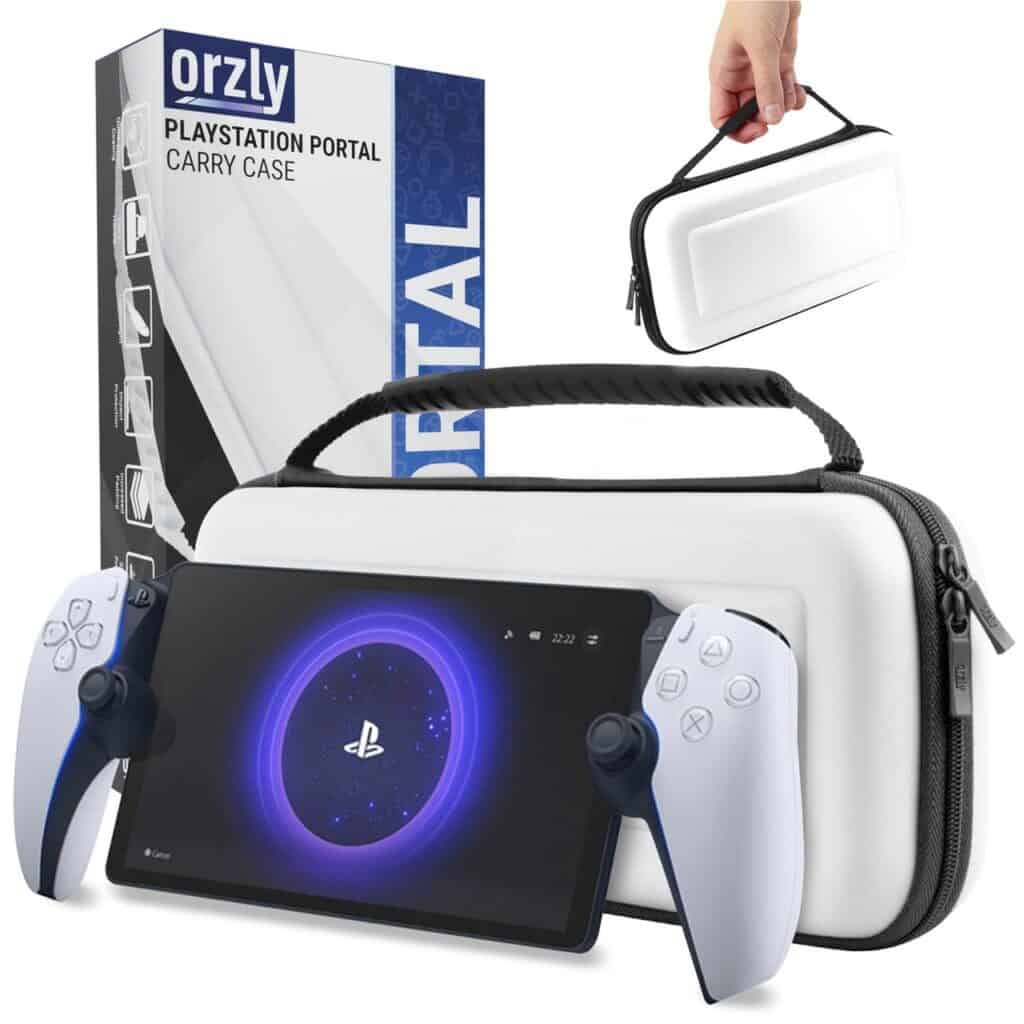
Orzly PlayStation Portal Carry Case
The Orzly PlayStation Portal Carry Case is a popular choice for anyone who wants strong protection without giving up portability. It is designed specifically for the PlayStation Portal, so the shape and interior layout match the device closely. The hard shell design keeps the Portal safe during travel, and the handle makes it easy to carry from room to room. It is a simple but reliable accessory if you want to protect the device while keeping it lightweight.
Orzly PlayStation Portal Carry Case Performance
The case uses a molded interior that holds the PlayStation Portal in place, preventing unwanted movement during transport. A soft inner lining protects the screen, and the internal flap adds a layer of separation that helps prevent pressure on the display. The zippered storage pocket is small but useful for cables or a slim power bank. The exterior offers solid impact resistance, and the material is easy to wipe clean after daily use.
Pros
- Protective molded design
- Soft lining for screen safety
- Lightweight and easy to carry
Cons
- Storage pocket is small
- Not as rugged as thicker hard shell cases
Who is the Orzly PlayStation Portal Carry Case for?
This case is a great fit if you want protection that stays light and comfortable to carry. It works well for daily use, quick travel, and keeping the PlayStation Portal safe between cloud gaming sessions. If you prefer a slim case with a clean design and a secure fit, the Orzly Carry Case is one of the best options to consider.
You can find the Orzly Carry Case for the PlayStation Portal on Amazon here.
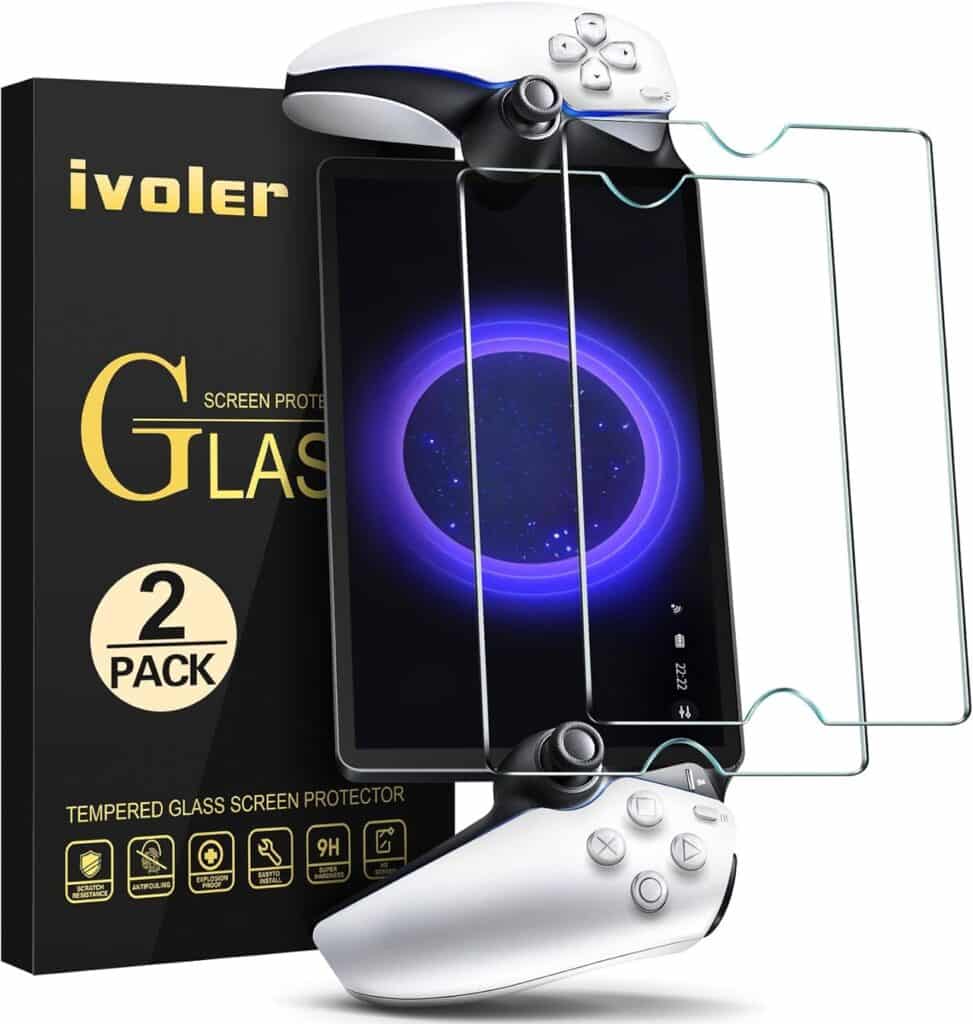
ivoler Tempered Glass Screen Protector for PlayStation Portal
The ivoler Tempered Glass Screen Protector is an easy upgrade that helps keep the PlayStation Portal’s large display safe from scratches and everyday wear. Since the device moves around a lot, even inside the house, screen protection matters more than most gamers expect. This pack includes two protectors, so you have a backup ready if you ever need it.
ivoler Tempered Glass Screen Protector Performance
The protectors use 9H tempered glass, which adds solid scratch resistance without affecting the look or responsiveness of the screen. The clarity stays sharp, and touch input feels natural, which is important when you are streaming games and relying on quick menu navigation. Installation is simple thanks to the included cleaning wipes and guide stickers, and once applied, the protector sits flush with the screen without noticeable edges.
Pros
- Strong 9H tempered glass
- Clean image quality and responsive touch
- Comes with two protectors in the pack
Cons
- Can take patience to align perfectly
- Removing and replacing one can be tricky
Who is the ivoler Screen Protector for?
This screen protector is a great fit for anyone who wants basic insurance for the PlayStation Portal’s display. It helps prevent scratches from daily use, protects the screen during travel, and keeps the device looking clean even after long cloud gaming sessions. If you want simple setup with reliable protection, the ivoler two pack is an easy choice.
You can view the ivoler Tempered Glass Screen Protector for the PlayStation Portal on Amazon here.
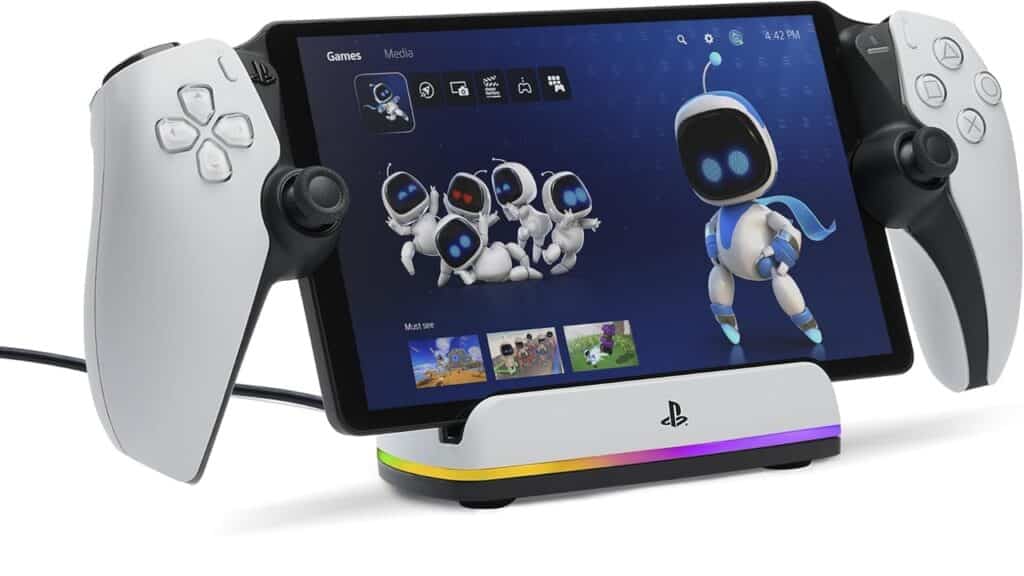
PowerA Charging Station for PlayStation Portal Remote Player
The PowerA Charging Station for the PlayStation Portal Remote Player is one of the easiest ways to keep the device ready for your next cloud gaming session. Instead of searching for a cable or clearing space on a desk, you can place the PlayStation Portal on the dock and let it charge in a clean, organized spot. It also looks neat on a shelf or entertainment unit, which helps if you want a simple setup that stays clutter free.
PowerA Charging Station Performance
The dock uses a stable USB C connection that lines up when you rest the PlayStation Portal on the cradle. Charging is consistent, and the design holds the device securely without putting pressure on the thumbsticks or buttons. The indicator light helps you quickly check the charging status, and the overall footprint is small enough that it does not take over your desk or side table.
Pros
- Simple drop and charge design
- Small footprint for clean setups
- Secure fit for the PlayStation Portal
Cons
- Requires its own charging adapter
- Not ideal if you already use a multi device charger
Who is the PowerA Charging Station for?
This charging station is a great fit if you use the PlayStation Portal often and want a dedicated spot to keep it powered. It works well for cloud gaming routines, where the device may be used in short bursts throughout the day. If you like quick access and a tidy setup, this dock makes powering the PlayStation Portal a lot more convenient.
You can check out the PowerA Charging Station for the PlayStation Portal on Amazon here.
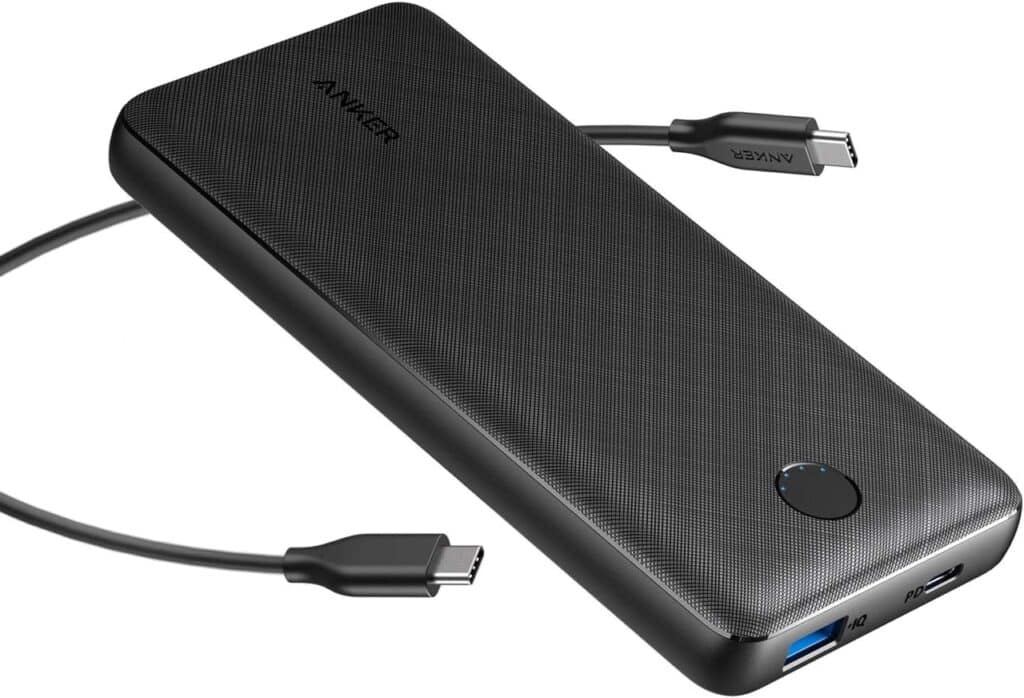
Anker Portable Charger 20,000mAh Power Bank
A portable power bank is one of the most practical accessories you can add to your PlayStation Portal setup, especially if you use the device for long cloud gaming sessions. The Anker Portable Charger 20,000mAh Power Bank is a strong option because it offers enough capacity to keep the PlayStation Portal running longer while staying compact enough to carry around the house or pack in a bag.
Anker Portable Charger 20,000mAh Power Bank Performance
A 20,000mAh battery provides plenty of extra runtime for the PlayStation Portal. Since cloud gaming keeps the screen active and Wi Fi working nonstop, the device drains faster than you might expect. This power bank adds several extra hours of use, and in lighter scenarios it can come close to doubling your total playtime. The USB C output keeps charging simple, and the power bank is reliable enough to use while the PlayStation Portal is running without slowing the session down. It is also a trusted brand, so build quality and charging consistency are solid.
Pros
- High capacity for extended cloud gaming
- USB C output for easy charging
- Trusted and reliable brand
Cons
- Takes time to recharge the power bank itself
- Heavier than a small 10,000mAh option
Who is the Anker Portable Charger 20,000mAh Power Bank for?
This power bank is a great pick if you use the PlayStation Portal for cloud gaming throughout the day and want extra battery support without staying near a wall outlet. It works well for gaming on the couch, in bed, or anywhere you want to play longer without worrying about charge levels. If you prefer a simple, dependable option with enough power for extended sessions, this Anker model fits right into a PlayStation Portal setup.
You can find the Anker 20,000mAh Portable Charger on Amazon here.
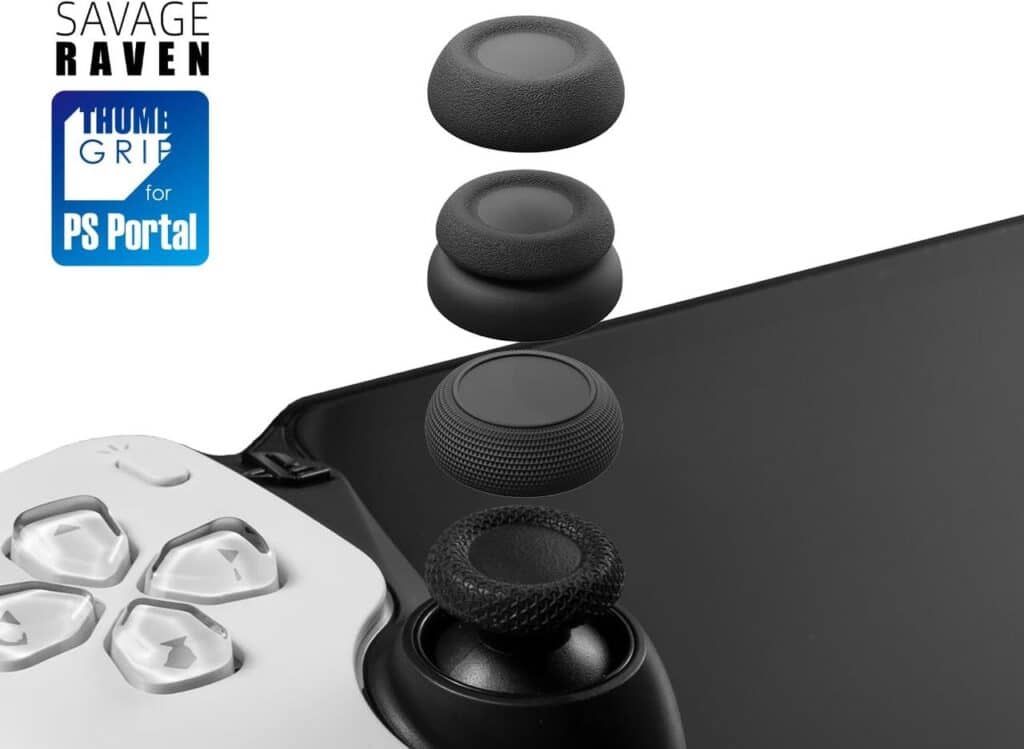
Skull and Co. X Savage Raven Thumb Grips for PlayStation Portal
The Skull and Co. X Savage Raven Thumb Grips are a helpful upgrade if you want more control during cloud gaming on the PlayStation Portal. The stock sticks work well, but these grips add extra texture and stability, especially for action games, shooters, and fast paced gameplay. They also help reduce slip during longer sessions, which makes them a nice comfort boost.
Skull and Co. X Savage Raven Thumb Grips Performance
These grips slide onto the PlayStation Portal thumbsticks with a snug fit, and they stay in place even with quick movements. The textured surface gives you a stronger feel when aiming or making small adjustments. The pack usually includes multiple grip styles, such as low rise and high rise options, so you can choose what feels right for your play style. Each one keeps the original stick response intact while adding just a bit more control.
Pros
- Better grip for precise movement
- Multiple height and texture options
- Easy to install and remove
Cons
- Takes a little time to find your preferred grip
- Thumbsticks feel slightly different than stock
Who are the Skull and Co. X Savage Raven Thumb Grips for?
These thumb grips are a great pick if you want more precision during cloud gaming on the PlayStation Portal. They also help if your thumbs tend to slip or feel tired during longer sessions. If you enjoy fine control in fast games or just want a small comfort upgrade, this accessory fits naturally into a PlayStation Portal setup.
You can see the Skull and Co. X Savage Raven Thumb Grips for the PlayStation Portal on Amazon here.
Choosing the Right Accessories for Your PlayStation Portal
The PlayStation Portal has come a long way since cloud gaming support rolled out, and the right accessories help shape that experience in a meaningful way. Small upgrades can go a long way, whether you want better audio, a safer way to store the device, or extra battery life for longer cloud sessions. Everything on this list fits cleanly into how most people use the PlayStation Portal at home, and none of it overcomplicates your setup.
Where to Start With PlayStation Portal Accessories
If you’re planning to use the PlayStation Portal for cloud gaming on a regular basis, audio gear like the PULSE Elite or PULSE Explore is a strong place to start. A good case and screen protector keep the device safe between sessions, and a charging dock or portable battery makes it easier to pick up and play without thinking about charge levels. These accessories make day to day use smoother, which helps the whole experience feel more natural.
If you’re just starting out, you can revisit our beginner’s guide to cloud gaming on PlayStation Portal
for setup help or check out our best PS5 games to play with cloud gaming on PlayStation Portal. Both guides pair nicely with the accessories listed here.
Cloud gaming has become an important part of how the PlayStation Portal is used today. It gives you more freedom to play when and where you want, and it keeps the device useful even when you are away from the TV. If you want to see what is available right now, you can check our full list of PS5 games you can stream with cloud gaming on PlayStation Portal using PlayStation Plus Premium.
As always, remember to follow us on our social media platforms (e.g., Threads, X (Twitter), Bluesky, YouTube, and Facebook) to stay up-to-date with the latest news. This website contains affiliate links. We may receive a commission when you click on these links and make a purchase, at no extra cost to you. We are an independent site, and the opinions expressed here are our own.



I always wish I had gotten the PlayStation Pulse Explore earbuds over the headphones just because it would be easier to take them out of the house in case I wanted to take the Portal somewhere and they could just be my cell phone earbuds at the same time.Two birds, one stone. Also, the Pulse Elite headphones are just so fragile; you better take them off your head gently, or they’re going to snap.
I always wish I had gotten the PlayStation Pulse Explore earbuds over the headphones just because it would be easier to take them out of the house in case I wanted to take the Portal somewhere and they could just be my cell phone earbuds at the same time.Two birds, one stone. Also, the Pulse Elite headphones are just so fragile; you better take them off your head gently, or they’re going to snap.
Totally get where you’re coming from. The PULSE Explore earbuds are a lot easier to carry around, and the fact that they can double as your phone earbuds makes them feel way more flexible day to day. Two birds, one stone for sure.
And yeah, the PULSE Elite can feel a bit delicate. They sound great, but you definitely have to be gentle with them when taking them off. The Explore set ends up being the safer grab if you’re moving the PlayStation Portal around the house or taking it with you.