Ever tried firing up your favourite cloud game while abroad, only to get hit with a region lock or “service unavailable” message? I ran into that exact problem at a hotel in Colombia while on vacation while visiting family. I was trying to play Halo Infinite through Xbox Cloud Gaming. My connection was fine, but the service wouldn’t connect because Xbox Cloud Gaming isn’t officially available in the country. That’s when I realized how useful a VPN can be for cloud gaming.
VPNs for cloud gaming aren’t about boosting speed or fixing lag. They’re about access and security. Services like NordVPN make it easy to connect through your home region, protect your data on public Wi-Fi, and keep your gaming session private no matter where you are.
In this guide, we’ll look at how VPNs can help you stay connected while traveling, what they actually do for cloud gaming, and what to avoid. Cloud Dosage may earn a small commission if you sign up through affiliate links in this article, at no extra cost to you.
Try NordVPN to stay connected securely and keep access to your cloud gaming library wherever you travel
Why Use a VPN for Cloud Gaming When Traveling
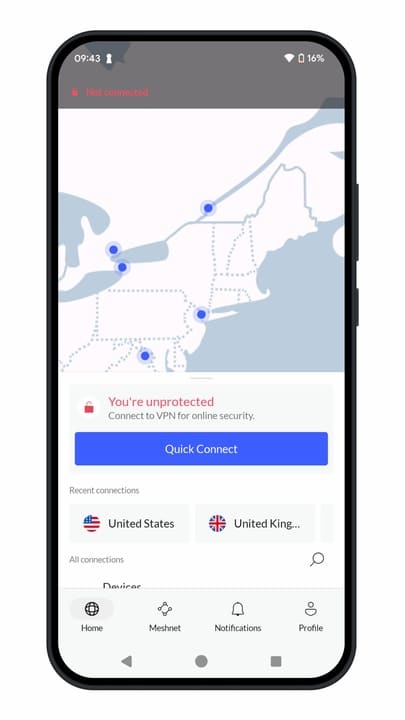
If you’ve ever tried launching your favourite cloud gaming service while on a trip, you’ve probably noticed things don’t always go smoothly. Services like Xbox Cloud Gaming, GeForce NOW, Boosteroid, PlayStation Cloud Gaming, and Amazon Luna are available in many countries around the world, but their reach is still limited. If you travel to a region where a service isn’t officially supported, you may temporarily lose access or see a smaller library until you return to a supported location.
That’s where VPNs for cloud gaming come in handy. They let you connect through your home country, keeping your account and game library accessible while you’re abroad. It’s especially useful for cloud gaming services like Blacknut, which can have regional differences in their supported titles.
A VPN also adds security when using hotel, airport, or café Wi-Fi. These networks are convenient but often unprotected, making your login details and data more vulnerable. With an encrypted connection, your activity stays private, even on shared networks.
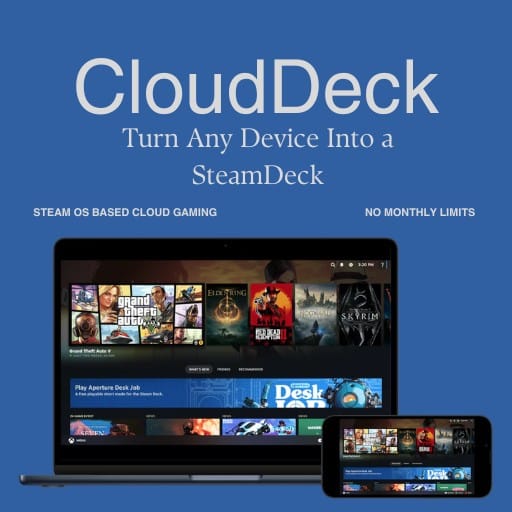
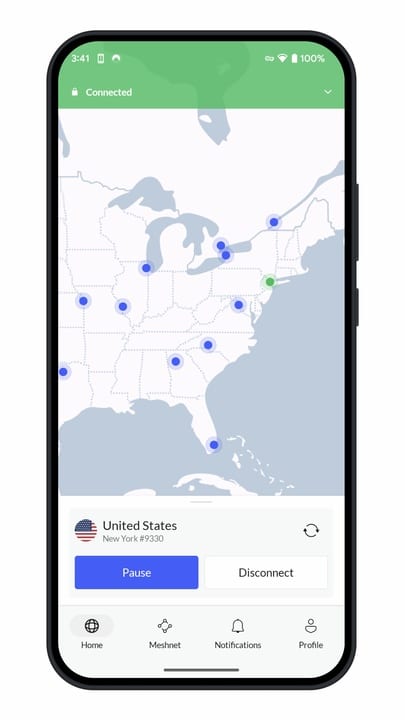
Services like NordVPN make this easy by offering a wide range of global servers, so you can log in through your home region with just a tap. It’s not about gaining an advantage. It’s about keeping your connection secure and uninterrupted while you’re away from home.
What VPNs Can and Can’t Do for Cloud Gaming
There’s a lot of mixed info online about what VPNs actually do for gaming. Some claim they’ll speed up your connection or fix lag entirely, but that’s not really how it works. VPNs for cloud gaming can be useful, but they have clear limits.
What VPNs can do:
- Keep your data private when gaming on public Wi-Fi.
- Help you access your usual library while traveling.
- Mask your IP to avoid region-based restrictions.
- Sometimes stabilize routes if your ISP throttles certain services.
What VPNs can’t do:
- Make your connection faster than your base internet speed.
- Guarantee lower latency on every cloud platform.
- Replace a solid local network or wired setup.
When I used NordVPN on Xbox Cloud Gaming from an unsupported region, latency barely changed. It added a few milliseconds at most, not enough to affect gameplay. For casual sessions, it was completely fine. That’s why it’s better to think of VPNs as a privacy and access tool, not a performance booster.
VPNs like NordVPN offer fast servers in multiple regions, which helps minimize the impact when you’re traveling. Still, if you’re chasing every frame or input millisecond, you’ll always want the most direct connection possible.
Choosing a VPN for Gaming Abroad?
Not every VPN is built with gamers in mind. Some services can slow your connection down or limit availability altogether when you’re streaming games, depending on your location. That’s why choosing the right VPN matters. Especially when you’re relying on it for access and security while traveling.
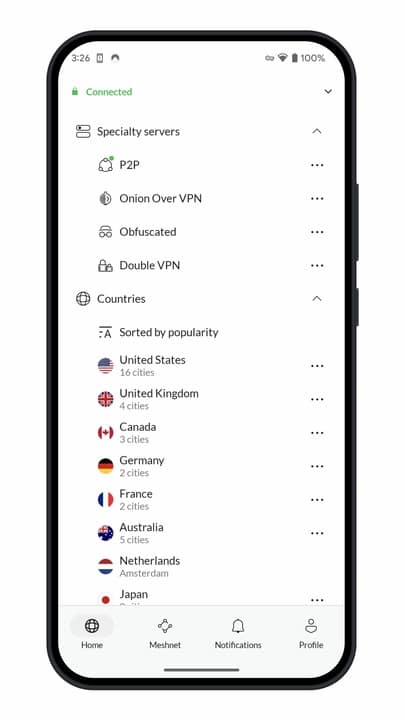
Look for a VPN that offers:
- Plenty of global servers, including ones near your home region and major cloud hubs.
- Fast, consistent speeds with modern protocols like WireGuard.
- Strong privacy policies, meaning no data logs or tracking.
- Multi-device support, so you can stay protected on your laptop, tablet, or handheld.
NordVPN checks all those boxes. It has thousands of servers in more than 100 countries, supports high-speed connections optimized for streaming, and includes extras like threat protection and dedicated IPs. During testing, it held a stable connection even on weaker hotel Wi-Fi networks.
Other major VPNs can offer similar setups, but NordVPN’s combination of speed, reliability, and wide regional coverage makes it a solid choice for cloud gamers who travel often.
If you’re curious, you can check out NordVPN’s current plans through our affiliate link below. It helps support Cloud Dosage at no extra cost to you.
Try NordVPN to stay connected securely and keep access to your cloud gaming library wherever you travel
Quick Setup Tips
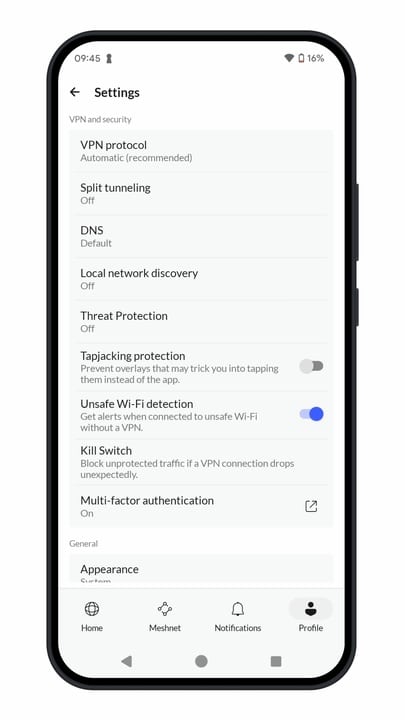
Setting up a VPN for cloud gaming doesn’t take much time, but a little preparation helps everything run smoother when you’re away from home. Here’s a quick checklist to get you started:
- Choose your VPN. Pick a reputable service with strong privacy, high speeds, and servers near your home region.
- Install it before you travel. I always make sure to download and sign in on every device before heading out. Hotel Wi-Fi can be unpredictable, so it’s better to be ready.
- Select your region. When you connect, choose a server close to your home country or the cloud server’s location for the best results.
- Run a quick test. Open your cloud gaming service, sign in, and make sure your library loads as expected.
- Adjust if needed. If the connection drops or feels slow, try switching servers or changing the VPN protocol.
With NordVPN, setup only takes a few minutes. Its apps are simple to use and sync across devices automatically, so you can focus on gaming instead of troubleshooting.
Staying Connected Wherever You Play
Traveling doesn’t have to mean leaving your cloud gaming setup behind. A VPN can help you keep access to your usual game library, protect your account on public Wi-Fi, and stay connected no matter where you are. It’s not about squeezing out extra speed or trying to fix latency. It’s about making sure your connection stays safe and reliable when you’re away from home.
The key is using a VPN for the right reasons. Stick to trusted services with fast servers, transparent privacy policies, and easy multi-device support. Those details matter when you’re trying to stream a quick session before a flight or at a hotel.
NordVPN fits well into that routine. It’s quick to set up, works across multiple platforms, and helps keep your connection secure while gaming abroad. If you’re thinking of trying one, you can check out NordVPN’s current plans through our affiliate link below. It supports Cloud Dosage and helps us keep producing more guides like this one.
As always, remember to follow us on our social media platforms (e.g., Threads, X (Twitter), Bluesky, YouTube, and Facebook) to stay up-to-date with the latest news. This website contains affiliate links. We may receive a commission when you click on these links and make a purchase, at no extra cost to you. We are an independent site, and the opinions expressed here are our own.